%201.svg)
Dynamic Test Environments: AI Automation Guide



Dynamic test environments powered by AI are transforming the way testing is done. These setups automatically adjust to application changes, scaling needs, and testing demands, offering faster, cost-effective, and more reliable testing processes. Key takeaways include:
- Automated Setup & Teardown: Environments activate when you push code and deactivate after merging, cutting setup time from hours to minutes.
- Cost Savings: Predictive scaling and resource management reduce costs by 40–60%.
- AI Techniques: Self-healing mechanisms, machine learning, NLP, and predictive analytics enhance test reliability and efficiency.
- Improved Metrics: Teams report up to 45% fewer flaky-test re-runs, 37% faster PR turnaround times, and a 22% drop in sandbox costs.
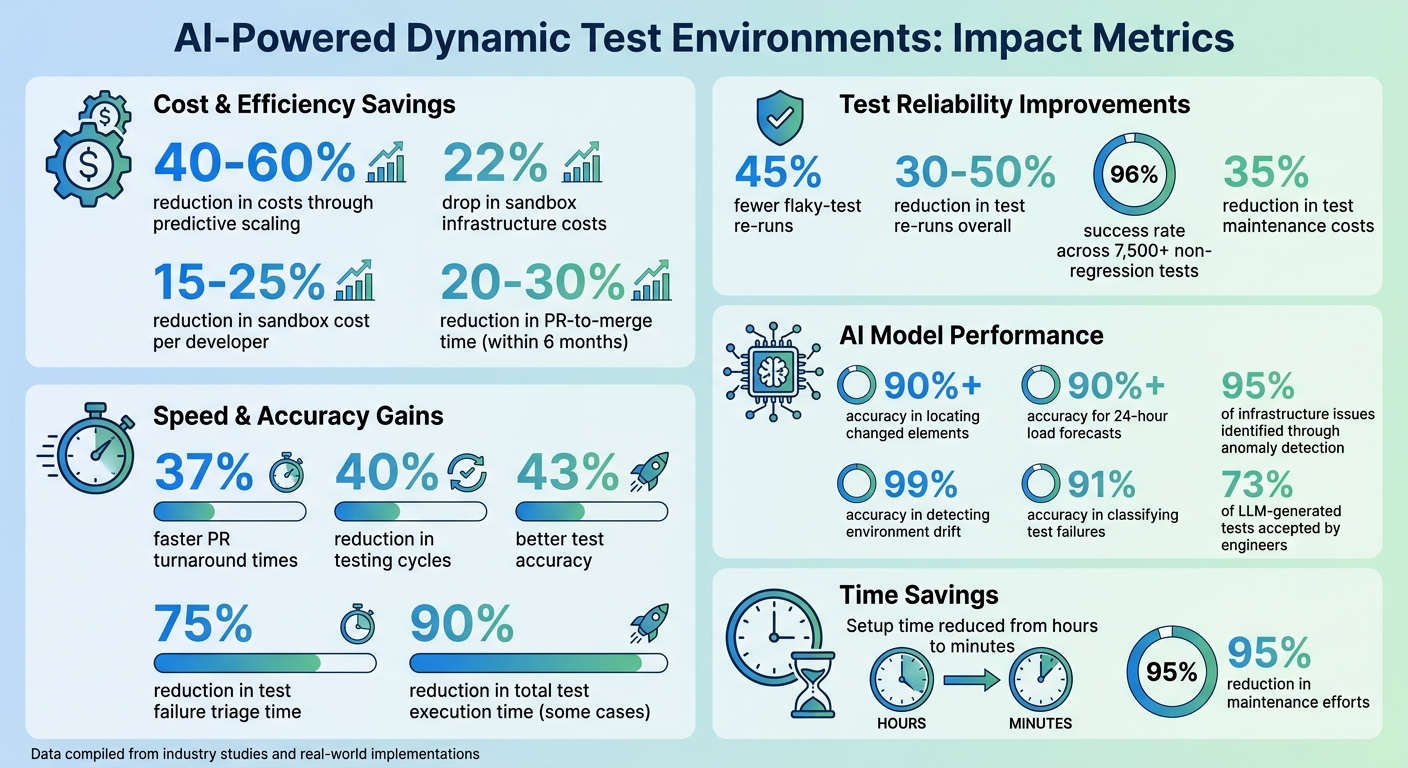
AI-Powered Test Environment Benefits: Key Performance Metrics and Cost Savings
AI-Powered Test Automation: Self-Healing + Visual Testing - Selenium & Playwright
sbb-itb-7ae2cb2
AI Techniques for Automating Test Environment Configuration
AI is revolutionizing how test environments are configured, turning what used to be a manual and time-consuming process into an efficient, automated workflow. Four key techniques driving this change include self-healing mechanisms to fix broken tests, machine learning for predicting configuration needs, natural language processing (NLP) to interpret requirements, and predictive analytics for real-time adjustments. Together, these methods tackle common testing challenges and streamline the entire configuration process.
Self-Healing Mechanisms
Self-healing AI steps in when test elements fail, like when locators change. Instead of stopping the test, it identifies elements using alternative attributes such as ARIA roles, text content, or visual appearance. Modern frameworks leverage the Model Context Protocol (MCP) to interact with the accessibility tree, identifying elements by their functional roles (e.g., "submit button") rather than relying on fragile CSS selectors. This has helped teams maintain massive test suites with an impressive 96% success rate across over 7,500 non-regression tests.
The process unfolds in three stages. First, the system captures a "Context Composition", which includes snapshots of the DOM, error logs, and test metadata when a failure occurs. Next, large language models analyze this data to suggest minimal code fixes. Finally, the proposed fix is tested in a temporary branch. If successful, a pull request is automatically created for human review.
"The process begins when a test fails... That failure triggers the self-healing loop. The pipeline captures relevant details... Good context filters out noise so the LLM focuses only on high-value information".
Teams using self-healing techniques report a 35% reduction in test maintenance costs, with models achieving over 90% accuracy in locating changed elements. To ensure reliability, confidence thresholds can be set - automatically approving high-confidence fixes (like text matches) while flagging lower-confidence ones (like positional matches) for manual review.
Machine Learning for Pattern Recognition
Machine learning analyzes historical test execution data to predict potential configuration issues before they arise. For example, ML-based time-series forecasting examines patterns in resource usage - like CPU and memory - to allocate resources ahead of demand spikes. This predictive approach boasts over 90% accuracy for 24-hour load forecasts and identifies 95% of infrastructure issues through anomaly detection.
ML also addresses environment drift, which refers to discrepancies between development, staging, and production setups that often lead to flaky test failures. By comparing configurations, ML models detect these gaps with 99% accuracy and rank the most likely causes of failures, significantly reducing triage time.
Specialized AI agents, such as Planner, Generator, and Healer, now manage the entire testing lifecycle. These agents use historical data to resolve ambiguities and refine configurations over time.
"AI testing tools accelerate test creation, but they can't replace a tester's ability to question requirements and think adversarially. Use AI for the repetitive work so you can focus on what matters most - understanding what the system should NOT do".
Natural Language Processing (NLP) for Requirement Parsing
NLP enables testers to describe their needs in plain English, which AI agents like "Planner" then convert into actionable configuration steps. Instead of manually scripting setup processes, testers can input high-level instructions, such as "Set up a Node.js environment with PostgreSQL for integration testing", and the AI handles the rest.
The RAT (RunAnyThing) framework showcases this by using large language models to parse repository documentation (like README files) and CI/CD configuration files. It determines optimal settings, including operating systems, language versions, and dependencies. A study of 2,000 GitHub repositories found this method boosted Environment Setup Success Rates by 29.6%, achieving a 63.2% success rate for Python projects.
"Modern test automation is no longer just about writing faster or more reliable scripts - it's about building tests that can adapt as applications evolve".
Predictive Analytics for Real-Time Adjustments
Predictive analytics dynamically configures test environments by analyzing historical data and adapting to changing conditions. For instance, AI monitors DOM changes and network activity to apply intelligent waits instead of fixed delays. It can also generate new test data on the fly if existing data is modified or deleted. These capabilities help eliminate timing issues and data dependencies that often disrupt traditional setups.
By continuously monitoring infrastructure metrics - like CPU usage, memory, and network latency - predictive models adjust resources proactively to prevent bottlenecks. For example, when traffic patterns shift or new features increase load, the system scales environments automatically to maintain performance. This approach is measured using the "time-to-confidence" metric, which tracks how quickly changes can be verified in production-like settings. Teams using AI-driven feedback loops have reduced test re-runs caused by flakiness by 45%.
To maximize effectiveness, teams should collect at least 30 days of infrastructure metrics before implementing predictive scaling models. Combining deterministic safety rules for critical actions with supervised ML models for anomaly detection ensures a balance between automation speed and human oversight, preventing cascading errors. These dynamic adjustments work in harmony with other AI techniques, creating a fully automated and reliable test environment configuration process.
How to Implement AI-Powered Test Environments
Before diving into AI automation, take a step back and evaluate your current testing practices. The first priority is ensuring your testing foundation is stable. A good indicator? Measure how much of your team’s time is spent maintaining tests instead of building features. If maintenance eats up more than 15% of your sprint capacity, you’ve hit what Tom Piaggio, Co-Founder of Autonoma, calls the "Regression Maintenance Cliff".
"The maintenance cliff is a math problem. Traditional tools make maintenance cost scale with test count. Codebase-aware agents keep maintenance cost near-flat regardless of suite size."
Make sure your baseline tools - like Playwright, Selenium, or others - are running smoothly before introducing AI agents. Any problems in your current setup will carry over to the AI. Additionally, if your tests rely on fragile CSS or XPath selectors, consider switching to role-based locators like getByRole or getByLabel. This shift is crucial for enabling AI self-healing. Another must-have is strict fixture isolation to ensure that parallel AI-generated tests don’t interfere with each other.
Assess Current Testing Infrastructure
Start by tracking how much time is wasted on common test maintenance issues. This will help you determine if your environment is ready for AI. Next, audit your data layer. AI agents need structured test artifacts - such as grouped error fingerprints, trace context, and historical pass/fail data - to work effectively. Ensure configuration details like environment URLs, credentials, and feature flags are stored alongside your application code. This setup allows agents to accurately replicate and audit environments.
Once your infrastructure is in good shape, you can move on to integrating AI agents for test creation.
Integrate AI Agents for Test Case Creation
A three-layer agent architecture - Generation, Validation, and Execution - is a great way to approach AI-driven testing. Instead of relying on hard-coded scripts, define user goals (e.g., "complete checkout") so agents can dynamically figure out the best execution path.
To get started, create a manual "seed test" that reflects your coding style and authentication methods. This will act as a guide for AI test generators. Configure your agents to trace code callers at least three levels deep to understand the underlying business logic. In industrial settings, using a mutation-guided loop - where one agent generates tests to "kill" code mutants and another detects them - has led to engineers accepting 73% of LLM-generated tests.
Once you’ve nailed test creation, the next step is adapting these agents for different environments.
Enable Cross-Environment Adaptation
AI can help maintain compatibility across environments by using Accessibility Tree snapshots instead of raw HTML. This approach provides a compact yet meaningful representation of elements, complete with unique reference IDs. When an element’s properties change, MutationObservers can track DOM changes, ensuring the page is stable before proceeding (usually after about 2 seconds).
Implement an intent-cache-heal pattern: store test steps as intents, cache locators, and let AI resolve issues only when cache misses occur. AI triage agents can also classify test failures with 91% accuracy, distinguishing between real bugs and environment issues.
Automate Dependency Management and Data Provisioning
Use Infrastructure as Code (IaC) to transform natural language requests into executable configurations. Connect AI agents to tools like GitHub MCP or AWS Terraform MCP to manage cloud setups and ensure isolated test sessions. This ensures every test run starts with a fresh, authenticated session and isolated data, preventing interference during parallel testing.
"Agentic AI represents a shift... where agents can combine the reasoning of large language models with interfaces to cloud platforms and monitoring tools." – CircleCI
For compliance and security, synthetic datasets can replace sensitive data. AI feedback loops can also monitor resource usage, automatically scaling sandbox environments - like increasing database connection pools - based on testing demands.
Configure CI/CD Pipelines
Integrate AI agents into your CI/CD pipelines for real-time test generation and infrastructure management. Use the Model Context Protocol (MCP) to give agents secure access to browser tools, cloud platforms, and version control systems. To avoid unintended actions (like sending emails or charging test cards), limit agent permissions in staging environments.
Instead of allowing auto-commits by AI agents, adopt a propose-diff-approve model. This way, agents suggest patches as pull request comments, leaving the final decision to human reviewers. This approach minimizes the risk of masked regressions. Research shows that about 60% of initially failing tests in AI-driven pipelines can self-heal on a retry.
Implement Self-Healing and Error Prediction
Set up agents to automatically capture snapshots of failing environments and logs for debugging purposes. If an action fails, the system should take a fresh accessibility snapshot, attempt to reveal hidden elements by scrolling, and retry using alternative methods before marking it as a failure. Hashing can help track and avoid duplicate actions.
Break down complex objectives into smaller sub-goals with checkpoints to prevent context overload. Keep in mind that a single, complex end-to-end agent test can cost between $0.50 and $2.00 in LLM tokens.
Set Up Monitoring with AI-Powered Alerts
Adopt a hybrid approach to automation: use deterministic rules for critical infrastructure tasks and large language models for developer-friendly triage and explanations. AI feedback loops can dynamically adjust resource allocation, cutting sandbox infrastructure costs by up to 22%. Monitor metrics like time-to-confidence, which measures how quickly changes are validated in production-like settings.
"The goal of modern QA engineering services is no longer just to 'find bugs' but to provide a continuous feedback loop that informs the entire development process." – Kanika Vatsyayan, VP of Delivery, BugRaptors
Ranger's AI-Powered Solutions for Dynamic Test Environments
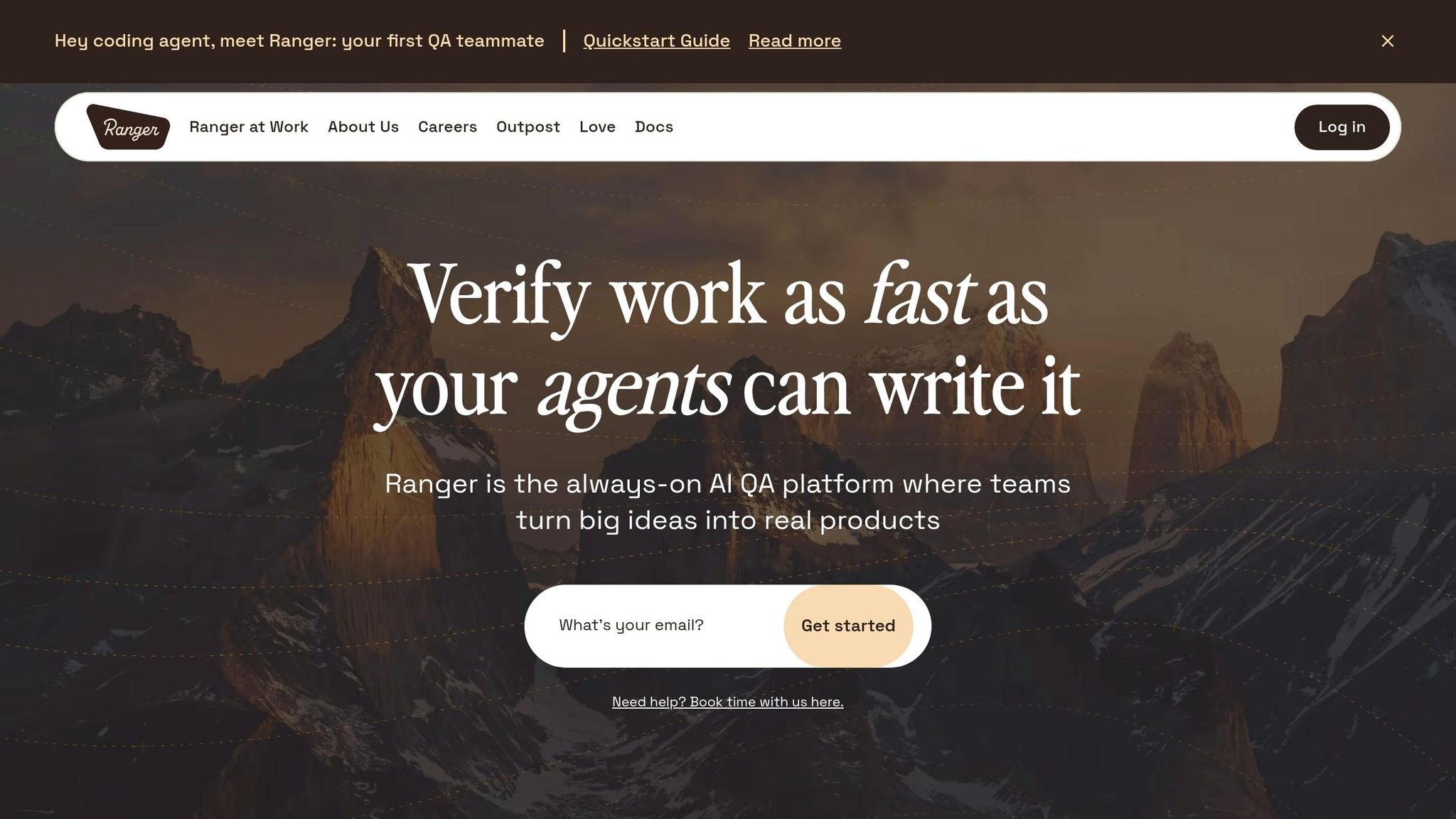
Ranger brings together advanced AI automation and human expertise to offer a comprehensive solution for dynamic test environments. By combining web agents with expert oversight, the platform simplifies the creation and maintenance of Playwright tests. This eliminates the need for manual scripting while ensuring stability, even in fast-changing environments.
AI-Powered Test Creation with Expert Input
Ranger employs a two-layered approach: AI generates the tests, and QA professionals review them for quality and clarity. This method avoids the common pitfalls of fully automated testing, where tests may function but are difficult to maintain or interpret.
"Ranger is a bit like a cyborg: Our AI agent writes tests, then our team of experts reviews the written code to ensure it passes our quality standards." - Ranger
The platform also features an AI-driven QA system that works seamlessly with coding agents like Claude Code. Once a coding agent completes a task, Ranger initiates browser-based verification, identifies errors, and attempts to fix them autonomously before human review. In February 2025, OpenAI collaborated with Ranger to create a web browsing harness, testing the o3‑mini model's capabilities across various platforms.
Workflow Integration with Slack and GitHub
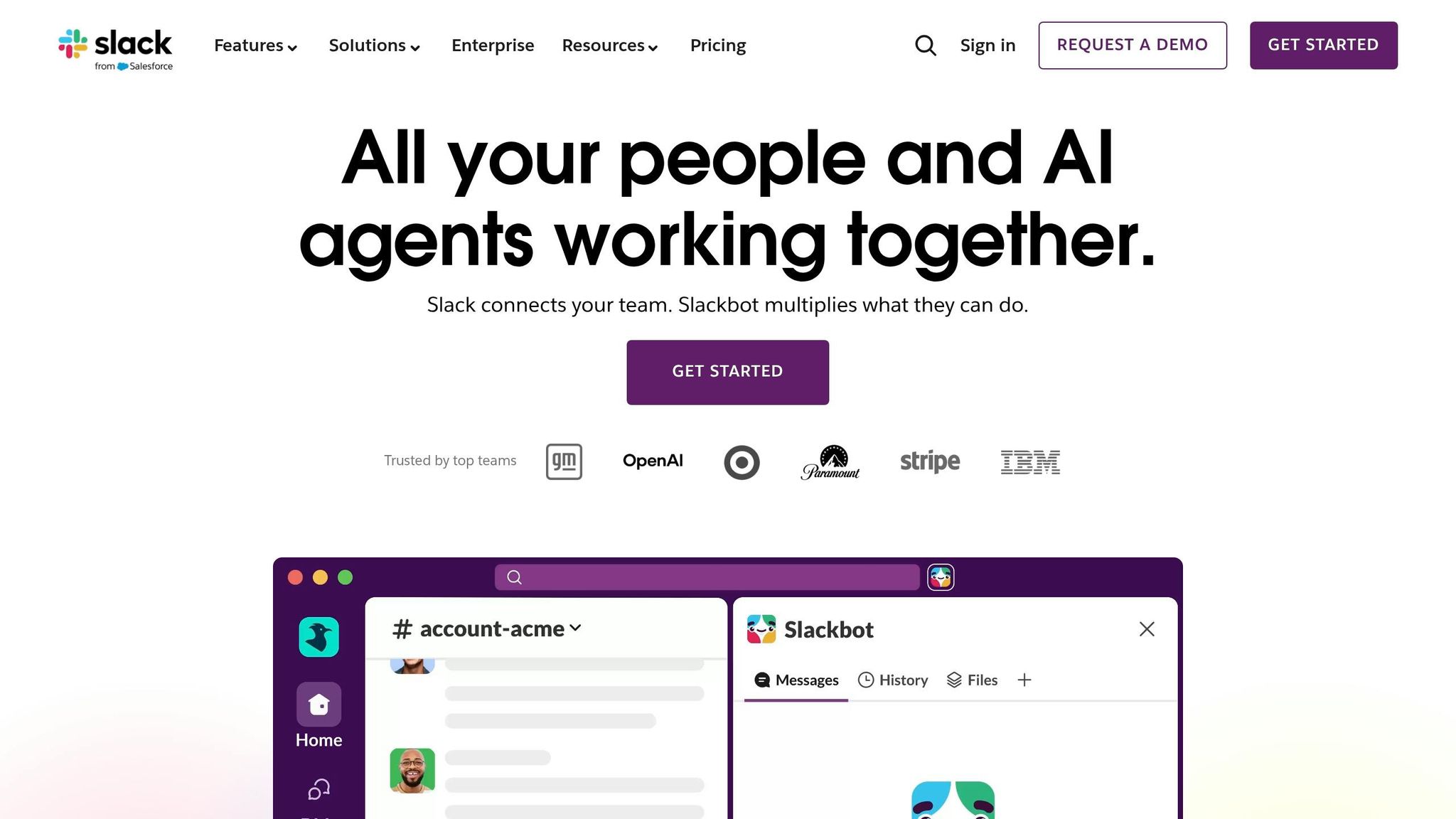
Ranger integrates directly into your team's workflow through Slack and GitHub. With Slack, users receive real-time updates on test statuses and alerts for critical issues that require immediate attention. The GitHub integration automatically runs test suites as code changes are made, posting results directly in pull request comments.
"I definitely feel more confident releasing more frequently now than I did before Ranger. Now things are pretty confident on having things go out same day once test flows have run." - Jonas Bauer, Co-Founder and Engineering Lead at Upside
Scalable Cloud-Based Testing Infrastructure
Ranger goes beyond integration by providing a reliable, cloud-based testing infrastructure. This system can spin up browsers across different environments with ease, handling complex authentication processes such as SSO, two-factor authentication (2FA), and magic links. By initiating a one-time human login in a headed browser, Ranger saves the session state for future autonomous runs.
For teams using preview environments like Vercel or Heroku, Ranger supports dynamic URLs through the ${VAR_NAME} syntax in profile settings, enabling runtime resolution of environment variables. Additionally, custom headers (e.g., x‑vercel‑protection‑bypass) can be configured to automate testing in bot-protected staging environments. When setting up CI/CD pipelines, the --ci flag allows encrypted authentication profiles to be safely committed to version control. These profiles can then be decrypted at runtime using a Ranger API token.
Advanced Strategies and Best Practices
Once you've set up your AI-powered test environment, it's time to take things to the next level. By fine-tuning resource allocation, tailoring tests to specific contexts, and prioritizing efforts effectively, you can make the most of AI's capabilities.
Intelligent Device Selection
AI doesn't just execute tests - it evaluates where and how they should run. By analyzing factors like CPU usage, memory, and test duration, AI can direct tests to the most efficient environment, achieving over 70% resource utilization. Think of it as having a smart assistant that predicts exactly what resources you'll need and when.
But don't rely solely on AI. Always validate its decisions using real browsers and operating systems. This step helps catch rendering or behavior quirks specific to certain environments that AI might overlook. For instance, machine learning-based load forecasting can predict test loads with over 90% accuracy across a 24-hour window, allowing systems to adjust scaling in minutes rather than hours.
To get started, collect at least 30 days of infrastructure data - such as CPU usage, memory consumption, and costs - before introducing AI-driven scaling. Set strict cost limits to avoid overspending during automatic scaling events. Begin by following AI recommendations, and gradually transition to fully autonomous device selection. Don't forget to update prediction models monthly to keep up with changes in usage patterns or application updates.
Context-Aware Parameterization
AI can also make your tests more adaptable by adjusting parameters based on real-time context. Traditional tests often fail when UI elements change, but context-aware systems solve this by analyzing the browser's accessibility tree. These systems use roles, labels, and ARIA attributes to identify elements in a way that's similar to how a human would. This approach keeps tests stable even when developers modify the UI.
With AI-driven parameterization, you can describe data needs in plain language. For example, instead of crafting complex selectors to retrieve an order ID, you can simply instruct the system to "Extract the order ID", and it will handle the rest. This makes it easier to manage dynamic values like confirmation codes, timestamps, or calculated totals.
AI also uses specificity-based resolution to adapt parameter values based on the test's context. For instance, a test in a staging environment might use different API endpoints than one in production. The system automatically chooses the correct values based on how closely the context aligns with predefined conditions. You can set defaults for common scenarios and use environment-specific overrides for things like database connection strings. Dynamic data extraction becomes seamless, and specific prompts (e.g., "Extract the total price from the checkout summary") ensure accuracy.
Risk-Based Prioritization
Not all tests are created equal, and using a test case prioritization tool can save time and resources. Test Impact Analysis (TIA) leverages code coverage data to pinpoint which tests are affected by specific code changes, ensuring only those tests are executed. Daniel Garay, Director of QA at Parasoft, puts it well:
"QA works in a black box. You don't see code changes. This gives you data-driven answers instead of stress-driven guessing".
Going a step further, predictive defect modeling uses historical test results, code quality metrics, and past failure patterns to identify modules most likely to break after a code commit. Teams using AI for prioritization have reported 43% better accuracy, 40% broader test coverage, and a 42% increase in agility. These methods can also cut testing cycles by up to 40%.
To make the most of these strategies, configure your AI systems to detect code changes and provide immediate risk assessments for every commit. This approach gives developers instant feedback on high-priority tests, while less critical validations can be deferred. Centralize all test execution data and defect logs to create a robust training dataset for your machine learning models. However, remember that while AI can handle repetitive tasks, human testers are still essential for assessing business risks and tackling exploratory testing in less straightforward areas.
| Prioritization Strategy | Data Source Used | Primary Benefit |
|---|---|---|
| Test Impact Analysis | Code coverage & Git diffs | Reduces regression suite runtime by focusing on affected tests |
| Predictive Analytics | Historical defect patterns | Flags "bug-prone" modules before execution |
| User-Behavior Analysis | Production telemetry & Analytics | Ensures critical user journeys are always validated |
| Observability-Based | Application logs & System metrics | Identifies silent failures and performance bottlenecks |
Measuring Success and Continuous Optimization
AI-powered test environments only deliver real value when their performance is measured consistently, and the systems are continuously improved. Building on the automation benefits discussed earlier, tracking the right metrics can give you a sharper competitive edge.
Key Performance Indicators (KPIs) for Success
To gauge how AI automates bug detection and impacts testing speed, focus on metrics like PR-to-merge time and CI queue duration. Engineering teams often aim for a 20–30% reduction in mean PR turnaround time within the first six months. Reliability metrics, such as the test re-run rate and the percentage of auto-remediations accepted by developers, provide a clear view of how accurate AI interventions are.
Efficiency is another critical area to monitor. Metrics like the mean time to remediate (MTTR) environment issues and the reduction in flaky-test re-runs are key indicators. AI-driven environments can cut flaky-test re-runs by 30–50%. On the financial side, track metrics such as sandbox cost per active developer, cost per merged PR, and cost per successful pipeline to ensure your investment in AI infrastructure pays off. AI-driven dynamic sizing often results in a 15–25% reduction in sandbox infrastructure expenses.
Regularly tracking these KPIs not only validates performance gains but also ensures a solid return on investment. These insights are critical for refining AI models and maintaining their effectiveness.
Continuous Refinement of AI Models
To sustain the benefits of AI, models need to be updated regularly using fresh KPI data. Jordan Ellis, Senior Editor & Platform Architect at mytest.cloud, describes the process as:
"A feedback loop is a closed system: observe -> analyze -> decide -> act -> observe."
This feedback loop is essential for retraining models and updating remediation policies, helping to prevent performance drift and fine-tune thresholds.
Start by consolidating logs, traces, and structured test metadata into a single, unified source of truth before applying AI models. Initially, adopt a human-in-the-loop approach - begin with suggestive automation, such as alerts and proposals, and only move to prescriptive auto-remediation after assessing how often developers accept AI suggestions. AI observers can also be configured to automatically capture snapshots of the environment state, logs, and traces at the first sign of failure. This preserves essential context for debugging. Companies that have implemented AI-powered test reporting have reported a 75% reduction in test failure triage time and, in some cases, up to a 90% reduction in total test execution time.
Finally, keep an eye on your maintenance ratio. If test maintenance starts consuming more than 15% of total engineering hours in a sprint, it’s a clear sign that your testing infrastructure is becoming a bottleneck. At this point, transitioning to AI-native maintenance isn't just helpful - it becomes a necessity.
Conclusion
AI-powered dynamic test environments are reshaping quality assurance in ways that are hard to ignore. By cutting testing cycles by up to 40%, increasing test accuracy by 43%, and reducing maintenance efforts by a staggering 95%, these advancements are revolutionizing how teams approach automation and resilience in testing.
The industry is moving from reactive testing to proactive quality engineering. In fact, projections show that by 2027, 80% of enterprises will incorporate AI-augmented testing tools into their workflows - a significant jump from just 15% in 2023. As Joe Colantonio, Founder of TestGuild, aptly states:
"AI won't replace QA engineers. But it WILL change what they do: less time writing/maintaining scripts, more time on exploratory testing and test strategy."
Platforms like Ranger exemplify this shift by offering end-to-end AI-powered testing solutions. Ranger blends AI-driven test creation with human oversight, ensuring real bugs are caught while speeding up release cycles. With seamless integrations into tools like Slack and GitHub and scalable hosted infrastructure, Ranger allows teams to focus on strategic testing rather than repetitive maintenance tasks.
The data and insights shared throughout this guide highlight how AI-driven testing transforms quality assurance into a forward-thinking, strategic function. The real challenge lies in accelerating AI adoption. Teams that continuously refine their processes, validate AI outputs, and maintain a balance between automation and human expertise will lead the charge in shaping the future of software quality.
FAQs
What’s the minimum data and tools needed to automate test environments with AI?
To effectively automate test environments with AI, having the right components is non-negotiable. Here’s what you’ll need:
- Versioned Test Data: Organized datasets managed using tools that guarantee reproducibility. This ensures consistency across testing cycles.
- Automation Tools: AI-powered platforms designed to handle environment setup and configuration seamlessly.
- Testing Frameworks: Tools that leverage AI to create and maintain test cases, reducing manual effort.
With these elements in place, automating testing environments becomes much more efficient and reliable.
How do self-healing tests stay safe without silently hiding real bugs?
Self-healing tests focus on handling changes in the UI or locators that don't represent actual defects. This approach helps avoid false positives, ensuring that the automation process remains reliable. At the same time, these tests still effectively identify genuine bugs, striking a balance between adaptability and accuracy in detecting real issues.
Which metrics prove AI-driven environments are paying off in CI/CD?
Key areas to focus on are test reliability, failure signal quality, deployment safety, and expanding testing coverage while reducing risks. Interestingly, more than 75% of companies have seen up to a 60% boost in these metrics by adopting AI-powered QA tools. This highlights how these solutions enhance both the efficiency and effectiveness of CI/CD processes.
Related Blog Posts
Stop babysitting your coding agents. Use Ranger
%201%20(1).svg)
More signals, less noise, faster launches
Let Ranger be your guide to sustainable QA testing.

.png)