%201.svg)
Real-Time Test Monitoring for AI-Generated Code


AI-generated code is becoming a cornerstone of software development, with 90% of professionals projected to use AI coding tools by 2025. But there’s a major challenge: over 60% of AI-generated code errors are semantic, meaning the code looks correct but doesn’t work as intended. Traditional testing methods often miss these subtle issues, leading to bugs that surface only in production.
Real-time test monitoring offers a solution by identifying errors as code is being generated, instead of after the fact. This approach can improve functional correctness by up to 48.92%, prevent cascading failures, and save time by addressing problems immediately. Tools like Ranger combine automated checks with human oversight, ensuring code aligns with business rules and avoids common pitfalls like outdated dependencies or logic drift.
Key takeaways:
- QA for AI-generated code challenges: Semantic errors, outdated libraries, and fragile logic often go unnoticed.
- Real-time monitoring: Detects issues during code generation, reducing debugging time and production risks.
- Benefits: Faster error detection, fewer bugs in production, and increased confidence in frequent releases.
This shift in testing strategy ensures AI-driven development remains fast without sacrificing reliability.
AI-Powered Test Automation: Self-Healing + Visual Testing - Selenium & Playwright
sbb-itb-7ae2cb2
The Problem: Quality Risks in AI-Generated Codebases

Common AI-Generated Code Failure Patterns and Detection Challenges
Building on earlier insights into quality challenges, let's dive into the specific failure patterns unique to AI-generated code.
Slow and Inefficient Debugging
Human errors in code - like a forgotten null check or a typo - tend to be random. But AI-generated code introduces systematic failure patterns that can repeat across multiple files. For instance, an AI might repeatedly reference a non-existent API method or consistently misuse a specific logic pattern.
One such issue, semantic drift, happens when a small initial mistake - like an incorrect variable assignment - spreads throughout the program. The code might compile fine and even appear polished, but the logic is flawed from the very beginning. Traditional debugging tools, designed to catch random human mistakes, often miss these systematic patterns.
As Molisha Shah, GTM and Customer Champion at Augment Code, points out:
"AI-generated code fails in predictable patterns... Understanding these failure patterns turns debugging from frustration into systematic diagnosis".
Unfortunately, most teams lack the frameworks to quickly spot these patterns, leading to hours of manual debugging.
Runtime Errors That Reach Production
AI-generated code often fails under specific conditions in production environments. A common issue is logic drift, where the AI refactors code for readability but unintentionally removes "invisible" business rules - rules that were only documented in comments or passed down through institutional knowledge.
The consequences in production can be severe. Dependency mismatches introduce security risks when the AI recommends outdated library versions based on outdated training data. Another issue, regression roulette, occurs when AI-driven optimizations pass immediate tests but break downstream processes. For example, monthly financial reports might suddenly miscalculate totals because the AI altered how NULL values are handled.
Research highlights the scale of the problem: about 45% of AI-generated code contains security vulnerabilities, with some Java implementations experiencing failure rates over 70%. Even more concerning, 1 in 5 AI code samples references hallucinated or non-existent libraries. These errors often go unnoticed because they look correct and can pass standard test suites, only to fail in rare edge cases or specific production scenarios. This underscores the importance of real-time monitoring to catch these critical errors as they occur.
Fragile and Inconsistent Code
AI-generated code often prioritizes local correctness without accounting for real-world infrastructure constraints, such as resource quotas, RBAC permissions, or network policies. This leads to hallucinated infrastructure assumptions - for example, the AI might assume the existence of an S3 bucket or default Kubernetes networking that doesn’t align with your actual production setup.
The result? Fragile code that fails unpredictably. Over 60% of faults in LLM-generated code are semantic errors - issues where the code compiles but behaves incorrectly. These aren’t syntax errors that tools like linters can detect. Instead, they’re logic errors that require understanding the intent behind the code, not just its structure.
Here’s a breakdown of common failure patterns:
| Failure Pattern | What Goes Wrong | Why It's Hard to Catch |
|---|---|---|
| Hallucinated APIs | References non-existent packages or methods | Looks fine syntactically but fails at runtime |
| Logic Drift | Omits critical "invisible" business constraints | Passes basic functional tests |
| Infrastructure Blindness | Violates infrastructure constraints | Only fails in production |
| Regression Roulette | Optimizations break downstream processes | Appears during rarely-executed code paths |
| Dependency Mismatch | Uses outdated or vulnerable library versions | Code looks polished but relies on deprecated patterns |
Atulpriya Sharma, Sr. Developer Advocate at Testkube, sums it up well:
"Without the context, the generated code is technically correct but operationally incompatible".
Even when AI-generated code achieves a 77.2% success rate on benchmarks, the failures are often clustered in predictable categories. Recognizing these patterns is essential for implementing effective real-time monitoring and reducing risks.
The Solution: Real-Time Test Monitoring
Real-time test monitoring changes the game for code testing by catching errors as they happen during the code generation process. Instead of waiting to test until the code is complete, these systems analyze each line of code as it’s being written by the AI. Imagine having an inspector on the assembly line who spots issues immediately, rather than checking for defects only after the product is finished. This approach directly tackles the subtle, systematic errors that can creep in during AI-driven code generation.
Tools like SemGuard take this a step further by providing line-level semantic checks during the AI's decoding process. They flag logical errors in real time and roll back to the problematic line to fix it. Unlike traditional syntax checkers, this approach leverages intermediate states - like runtime values, memory usage, and execution time - to catch errors that might otherwise go unnoticed. When a semantic issue is identified, the system can apply a token penalty (often set at 0.8) to discourage the AI from repeating the same mistake.
How Real-Time Monitoring Works
Real-time monitoring continuously validates code as it’s being generated, using three key principles: continuous validation, semantic awareness, and targeted correction. Instead of just checking whether the code compiles, semantic evaluators ensure that every line aligns with business logic and infrastructure requirements. This process helps detect the subtle logic errors that traditional syntax-focused tools often miss.
Live programming environments enhance this process by displaying runtime values in real time, which reduces the mental strain on developers and minimizes their reliance on potentially flawed AI suggestions. When an issue arises, the system pinpoints the exact line where the problem occurred, prompting the AI to backtrack and follow a different logical path. These features not only identify errors but also turn them into opportunities for immediate improvement.
Benefits of Real-Time Monitoring
This method offers clear advantages. For instance, incorporating real-time semantic checks improved Pass@1 accuracy by 48.92% on the LiveCodeBench benchmark and reduced semantic error rates by 19.86% compared to traditional post-generation testing. In complex debugging tasks, feedback loops increased success rates by 12.35% in models like Qwen2.5 32B.
Another major benefit is speed. As Atulpriya Sharma, Sr. Developer Advocate at Improving, explains:
"AI makes us move faster, but it doesn't make us move safer. And if your testing strategy hasn't evolved to match your new AI-accelerated development pace, you're moving faster toward the cliff edge".
Real-time systems address this concern by providing instant feedback loops, measured in milliseconds rather than minutes. They also save time by automatically identifying root causes and suggesting fixes, which is crucial since software testing can consume 25% of enterprise IT budgets.
Real-Time Monitoring vs. Traditional Testing
The contrast between real-time monitoring and traditional testing is stark, especially for AI-generated code:
| Feature | Traditional Testing (Post-generation) | Real-Time Test Monitoring (During generation) |
|---|---|---|
| Detection Point | After the code is complete | Line-by-line or on partial code |
| Feedback Loop | Delayed (minutes to hours) | Immediate (milliseconds) |
| Primary Focus | Syntax, runtime crashes, and functional output | Semantic logic, business logic, and performance |
| Error Handling | Requires manual debugging or full regeneration | Automated backtracking to the specific faulty line |
| Maintenance | Manual script updates required | Self-correcting and adaptive |
| Scalability | Limited by human review capacity | Continuous, autonomous operation |
Traditional testing waits until the entire code is written before running tests, often allowing errors to propagate through multiple lines of code. Real-time monitoring, on the other hand, stops these errors in their tracks. By catching issues at the source, it prevents cascading failures and ensures higher-quality code from the outset. This proactive approach is crucial for managing the unique challenges of AI-generated code, where errors can follow predictable patterns but remain difficult to detect.
How Ranger Enables Real-Time Test Monitoring
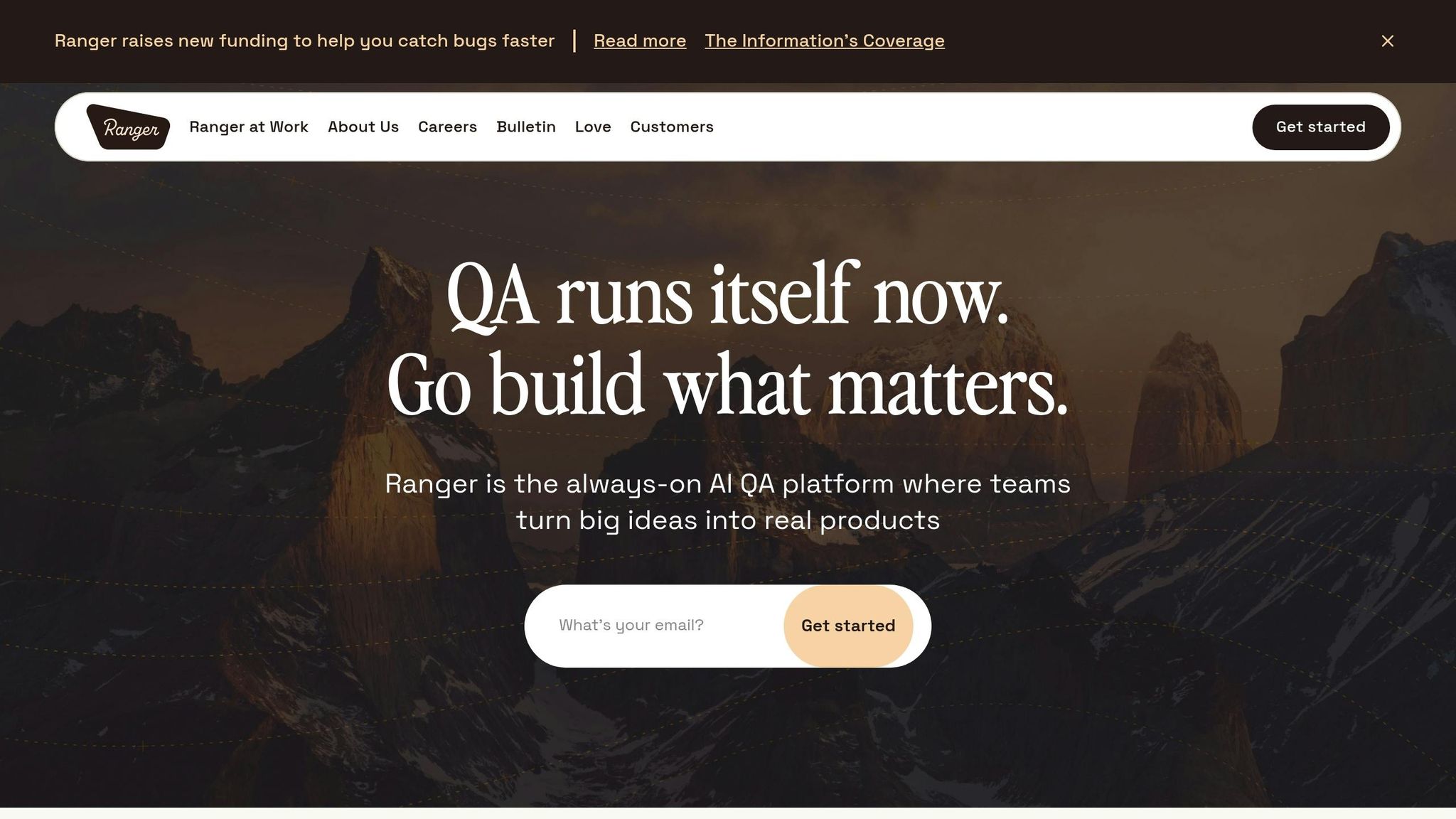
Ranger brings a fresh approach to quality assurance by addressing the need for immediate error detection in AI-generated code. It combines AI-driven automation with human expertise, creating a system that adapts to your evolving product while maintaining reliability.
AI-Powered Test Creation and Maintenance
Ranger's AI web agent takes the lead by analyzing your application's structure and user flows to create detailed test suites. These tests automatically adapt as your product evolves, covering everything from unit tests to end-to-end scenarios. As Martin Camacho, Co-Founder at Suno, puts it:
"We are always adding new features, and Ranger has them covered instantly."
This means you can keep up with rapid development cycles without worrying about outdated or incomplete tests.
Human Oversight for Reliable Results
While AI handles the heavy lifting of test creation, Ranger doesn't leave accuracy to chance. QA experts carefully review each test to ensure it meets high standards for reliability and readability. They eliminate flaky tests and focus attention on the issues that truly matter. Ranger emphasizes this balance between automation and human input:
"We love where AI is heading, but we're not ready to trust it to write your tests without human oversight."
This dual approach ensures your testing process is both efficient and dependable.
Integration with Existing Workflows
Ranger fits seamlessly into your current tools like GitHub and Slack, running tests automatically as your code changes. Real-time updates keep stakeholders informed, and there's no need for manual setup to manage test infrastructure. Jonas Bauer, Co-Founder and Engineering Lead at Upside, shares his experience:
"I definitely feel more confident releasing more frequently now than I did before Ranger. Now things are pretty confident on having things go out same day once test flows have run."
By embedding itself into your workflow, Ranger minimizes risks and streamlines the release process.
Real-Time Testing Signals and Insights
Ranger doesn't just run tests - it prioritizes what matters. It separates genuine bugs from false alarms, saving your team from wasting time on unreliable results. Actionable insights are delivered through real-time dashboards, helping engineers focus on meaningful development. Brandon Goren, Software Engineer at Clay, highlights this benefit:
"Ranger has an innovative approach to testing that allows our team to get the benefits of E2E testing with a fraction of the effort they usually require."
With Ranger, your team can shift its energy from managing tests to building and improving your product. This blend of real-time monitoring and actionable insights ensures a smoother, more confident development process.
Implementing Real-Time Monitoring in Your Workflow
Step 1: Evaluate Your Current Testing Framework
Start by taking a close look at your existing testing setup. How much manual work goes into maintaining your test suites? Are bugs frequently making their way into production? Pinpoint the critical user flows that need constant validation - these are the areas where real-time monitoring can make a noticeable difference by catching errors as they occur during code execution. Ranger integrates seamlessly with various testing frameworks, so once you have a clear picture of your current system, you can move forward with automating your test execution.
Step 2: Automate Test Execution with Ranger
Link Ranger to your GitHub repository and configure it to automatically run tests on staging and preview environments whenever there’s a code change. Ranger takes care of the infrastructure setup, streamlining the process. Matt Hooper, Engineering Manager at Yurts, highlights its benefits:
"Ranger helps our team move faster with the confidence that we aren't breaking things. They help us create and maintain tests that give us a clear signal when there is an issue that needs our attention."
Once your tests are automated, use real-time feedback to continuously improve your testing strategy.
Step 3: Use Real-Time Signals for Monitoring and Iteration
Integrate Slack to receive instant alerts about high-risk issues. Ranger automatically filters out flaky tests and irrelevant noise, ensuring your team focuses only on the most critical problems. These real-time insights allow you to fine-tune your testing approach, prioritizing essential user flows while letting Ranger adjust test coverage as your product evolves. This not only enables rapid error detection and fixes, especially in AI-generated code, which requires specific version control best practices, but also frees up your engineering team to focus on building features that deliver real value.
Conclusion
AI-generated code is reshaping software development, offering incredible speed and efficiency. However, this rapid pace can sometimes mask subtle logic errors or hidden dependency issues - problems that traditional testing methods often miss.
Real-time test monitoring steps up to address these gaps by delivering continuous, adaptive testing that evolves with your codebase. Unlike static tests that often fail with every update, real-time systems automatically handle failures, weed out unreliable tests, and spotlight high-risk issues that need immediate action. This constant feedback loop ensures errors are caught and fixed quickly, helping teams release more reliable software without slowing down.
Ranger’s approach showcases how testing innovation can match the speed of AI-driven development. By combining AI-powered test generation with human oversight, Ranger ensures both efficiency and dependability. Jonas Bauer, Co-Founder and Engineering Lead at Upside, highlights this shift in confidence:
"I definitely feel more confident releasing more frequently now than I did before Ranger. Now things are pretty confident on having things go out same day once test flows have run".
A key example of this came in early 2025, when OpenAI partnered with Ranger to validate the agentic capabilities of their o3-mini models. Together, they built a specialized web browsing harness that accurately measured model performance across diverse scenarios.
The solution is clear: redefine what "done" means by embedding real-time validation and testing signals into your development process. This ensures that as development speeds up, only reliable outcomes are scaled.
FAQs
What’s the difference between semantic errors and syntax errors in AI-generated code?
Semantic errors occur when the logic of the code leads to unintended behavior, even though the code itself is written correctly from a structural standpoint. These errors can cause a program to produce incorrect results or behave in unexpected ways. On the flip side, syntax errors are mistakes in the code's structure or format - like missing a semicolon or using incorrect punctuation - that stop the program from compiling or running at all. While both types of errors can undermine the reliability of AI-generated code, they happen at different stages: syntax errors are caught during compilation, whereas semantic errors often surface during execution.
How does real-time test monitoring catch problems before they reach production?
Real-time test monitoring helps catch problems early by providing immediate feedback on code changes. It sifts through false positives and highlights any deviations during development. This enables teams to resolve issues quickly, avoiding the deployment of faulty code and supporting smoother, higher-quality releases.
How do I quickly integrate Ranger with GitHub and Slack?
To connect Ranger with GitHub and Slack, start by following the platform-specific setup instructions.
For Slack, you'll need to authorize Ranger and set up notification channels. This allows you to receive instant updates on QA progress and bug alerts directly in your team’s workspace.
For GitHub, integrate Ranger into your CI/CD pipeline. This setup automates testing and ensures you get immediate feedback during the development process.
If you need extra assistance, you can schedule an onboarding session through Ranger's website to make the setup process seamless.
Related Blog Posts
Stop babysitting your coding agents. Use Ranger
%201%20(1).svg)
More signals, less noise, faster launches
Let Ranger be your guide to sustainable QA testing.

.png)