%201.svg)
Version Control Best Practices for AI Code

Managing AI-generated code is more complex than traditional coding. It involves tracking not just source code but also models, datasets, and prompts, all while dealing with unpredictable outputs. Here's what you need to know:
- AI Workflows Need Version Control: Prompts, datasets, and models are as critical as code. Without versioning, even minor changes can cause inconsistencies.
- Challenges: AI introduces issues like reproducibility, large file handling, and security risks (e.g., hallucinated APIs or malicious packages).
- Key Strategies:
- Use branching strategies like feature branches for experiments and release branches for production.
- Adopt commit conventions like
feat(scope): descriptionfor clarity. - Manage large files with Git LFS or external storage tools like DVC.
- Version models, datasets, and prompts separately for better traceability.
- Testing and Review: Combine automated tools (e.g., CodeQL, Dependabot) with human oversight to ensure quality. AI can assist with initial reviews, but humans are essential for architectural decisions and business logic.
Takeaway: AI tools speed up coding, but reviewing and managing AI-generated outputs require robust workflows. Clear commit messages, structured branching, and careful artifact versioning are essential for maintaining quality and transparency.
Stop Wasting Time: Turn AI Prompts and Context Into Production Code
Git Branching Strategies for AI Teams
To tackle the unique challenges of AI workflows, teams need branching strategies designed specifically for this type of development. AI projects often involve managing multiple versions of models, refining prompts, and working with ever-changing datasets. A solid branching strategy ensures high-risk experiments stay separate from the stable production codebase.
It's crucial to keep experimental work isolated from the main branch. Each new model test, prompt tweak, or dataset update should have its own branch. If an experiment doesn’t pan out, simply delete its branch without disturbing the stable code.
Using Feature Branching for AI Experiments
Feature branching is a great way to keep experimental work separate from the main codebase. Each branch should have a clear and descriptive name, like experiment-llm-prompt-v2 or model-eval-gpt4o, to make its purpose immediately obvious. These branches act as isolated spaces where team members can safely test new prompts, try out different model versions, or adjust parameters without jeopardizing the integrity of the main branch.
Pull requests are essential for reviewing and merging experimental branches. They help identify AI-specific issues and prevent problems from slipping through. Another key practice is regularly syncing experimental branches with the main branch. This ensures conflicts are caught early and that experiments stay aligned with ongoing development efforts.
Using Release Branches for Production AI Code
Once an AI model or feature has been validated, it should move to a release branch for stabilization. Release branches offer a controlled environment to prepare changes for production. As GitLab explains, long-lived release branches work well for scenarios where products need separate branches for stable production versions and ongoing beta versions. Use naming conventions like release/v1.0 or release/20 to clearly identify production releases.
Release branches should be frozen to allow only approved bug fixes and critical patches. Any issues should be addressed in dedicated branches created off the release branch, with fixes merged back via pull requests. To avoid recurring problems in future development, backport these fixes to the main branch using tools like git cherry-pick.
Strict protection rules are a must for release branches. Require pull requests, enforce a minimum of two reviewers, and ensure all CI/CD checks are completed before merging. For AI-specific code, combine automated QA tools like CodeQL with manual reviews to catch issues unique to models or datasets before deploying to production.
Commit Conventions and Best Practices for AI Code
Once you've established a branching strategy, the next step is to focus on commit conventions. These conventions ensure that changes, especially those involving AI code, are documented with clarity and purpose. A well-written commit message doesn't just summarize code changes - it captures the reason behind them. As Frank Goortani, an architect and product designer, explains:
"The point of a commit message is to capture intent, not merely summarize the diff… AI cannot infer intent".
For AI workflows, adopting the Conventional Commits format is a game-changer: <type>(scope): description. Common types include:
feat: For introducing new features.fix: For resolving bugs.chore: For general maintenance tasks.perf: For performance-related improvements.
For instance, instead of writing something vague like "updated code", opt for a clear and structured message such as feat(model): add evaluation pipeline. This format not only makes your repository more organized but also helps with automated changelog creation and allows AI coding assistants to better understand your project's structure.
Here’s how to refine commit practices specifically for AI projects.
Writing Clear Commit Messages for AI Changes
To make your commit messages effective, use the imperative mood and break changes into atomic commits. For example, write "Add model weights" rather than "Added model weights". Each commit should represent one logical change. If you're modifying a model architecture, that should be one commit. If you're also tweaking the data preprocessing pipeline, handle it in a separate commit. This approach simplifies code reviews, makes rollbacks easier, and helps AI tools track progress more effectively.
When using AI tools for code generation, maintain transparency by marking AI-generated code with trailers like Assisted-by: GitHub Copilot or Generated-by: ChatGPT. These annotations help differentiate between human-written and AI-generated contributions.
To enforce these standards, integrate tools like Commitizen to prompt for structured commit messages and configure Husky with commitlint to validate messages through Git hooks.
Now, let’s tackle the challenge of managing large files in AI projects.
Managing Large Files with Git LFS
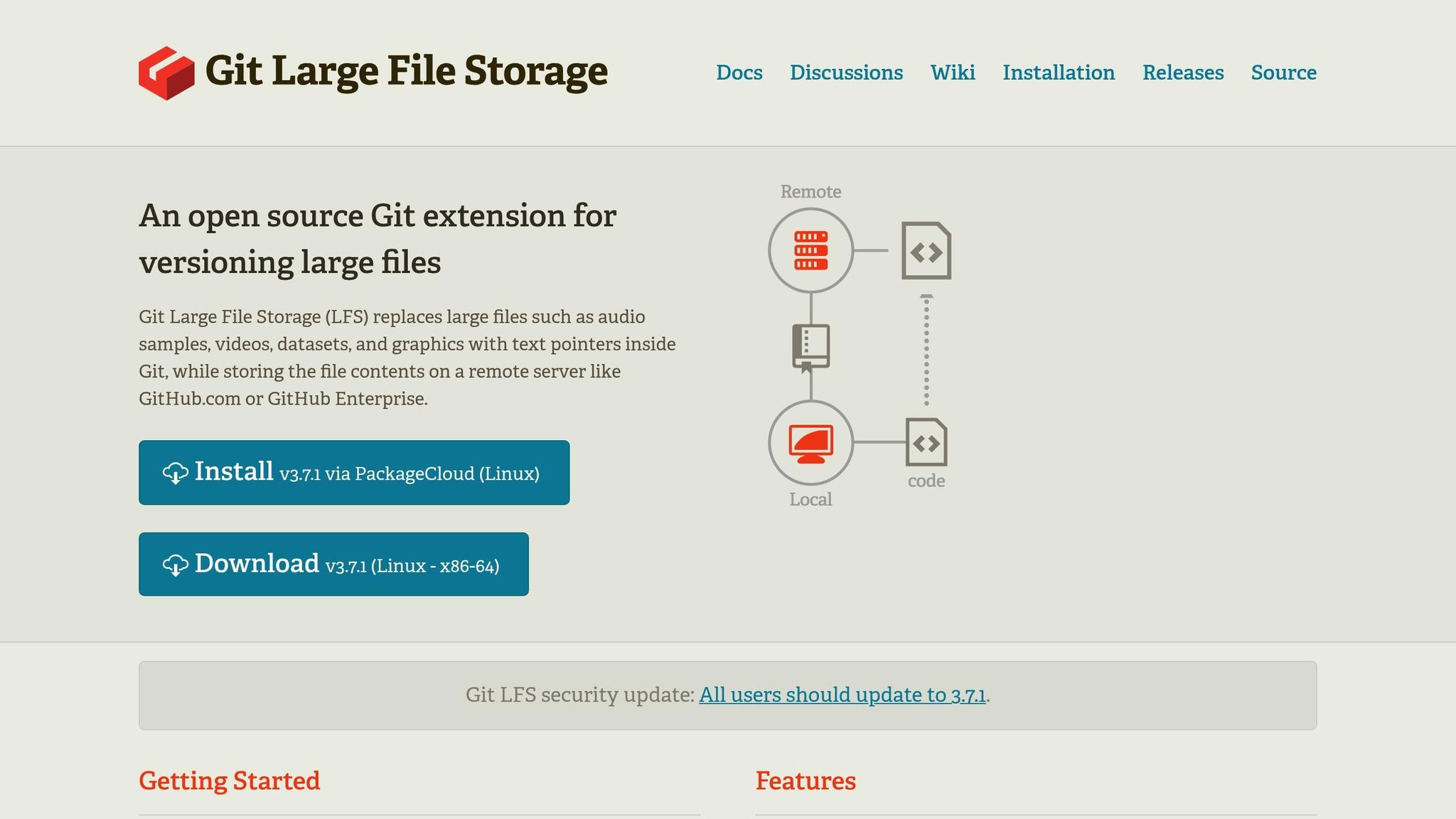
AI projects often involve massive files like model checkpoints, datasets, and binary weights, which can quickly bloat a repository. Git LFS (Large File Storage) solves this by replacing large files with lightweight pointers while storing the actual content on a remote server.
To set up Git LFS, start with:
git lfs install
Then, specify the file types you want to track. For example:
git lfs track "*.pth"  # PyTorch model weights
git lfs track "*.h5"   # Keras models
This will generate a .gitattributes file, which should be committed to your repository so that all team members use the same configuration.
Git LFS integrates seamlessly into your workflow. You’ll still use familiar commands like git add, git commit, and git push. The difference? Only the checked-out version of large files is downloaded, keeping your repository lightweight. If you already have large files in your Git history, use git lfs migrate to move them into LFS storage, reducing the repository size.
For AI projects, this setup is essential. GitHub enforces strict file size limits for regular repositories, making Git LFS a must for machine learning workflows. Additionally, tagging releases (e.g., git tag -a v1.0.0) can help you mark significant model versions or datasets, making it easier for both humans and AI tools to reference specific checkpoints.
Integrating Ranger for Automated QA Testing in AI Workflows
Platforms like GitHub and GitLab are essential for hosting AI code, but they often come with the risk of quality issues slipping through the cracks. Ranger steps in by integrating with these version control systems using webhooks. These webhooks activate QA analysis whenever a pull request is made, providing inline feedback directly within discussion threads.
Ranger employs a two-step approach to ensure code quality: a pre-merge scan to catch potential issues early and a post-merge review to identify anything that might have slipped past standard checks. This strategy helps to catch problems before they escalate, reducing the need for costly bug fixes down the line.
Automating Test Creation and Maintenance with Ranger
Manually creating tests for AI models can be a slow and incomplete process. Ranger automates this task by analyzing your code structure, historical data, and user behavior. It also keeps your tests up-to-date as your codebase evolves.
The time savings are impressive. For example, one project saw its test execution time drop from 14 hours to just 2.5 hours thanks to AI-powered testing. For teams managing complex model pipelines and dealing with frequent updates, this kind of speed improvement means faster feedback and quicker releases.
Improving Team Communication with Slack and GitHub Integrations
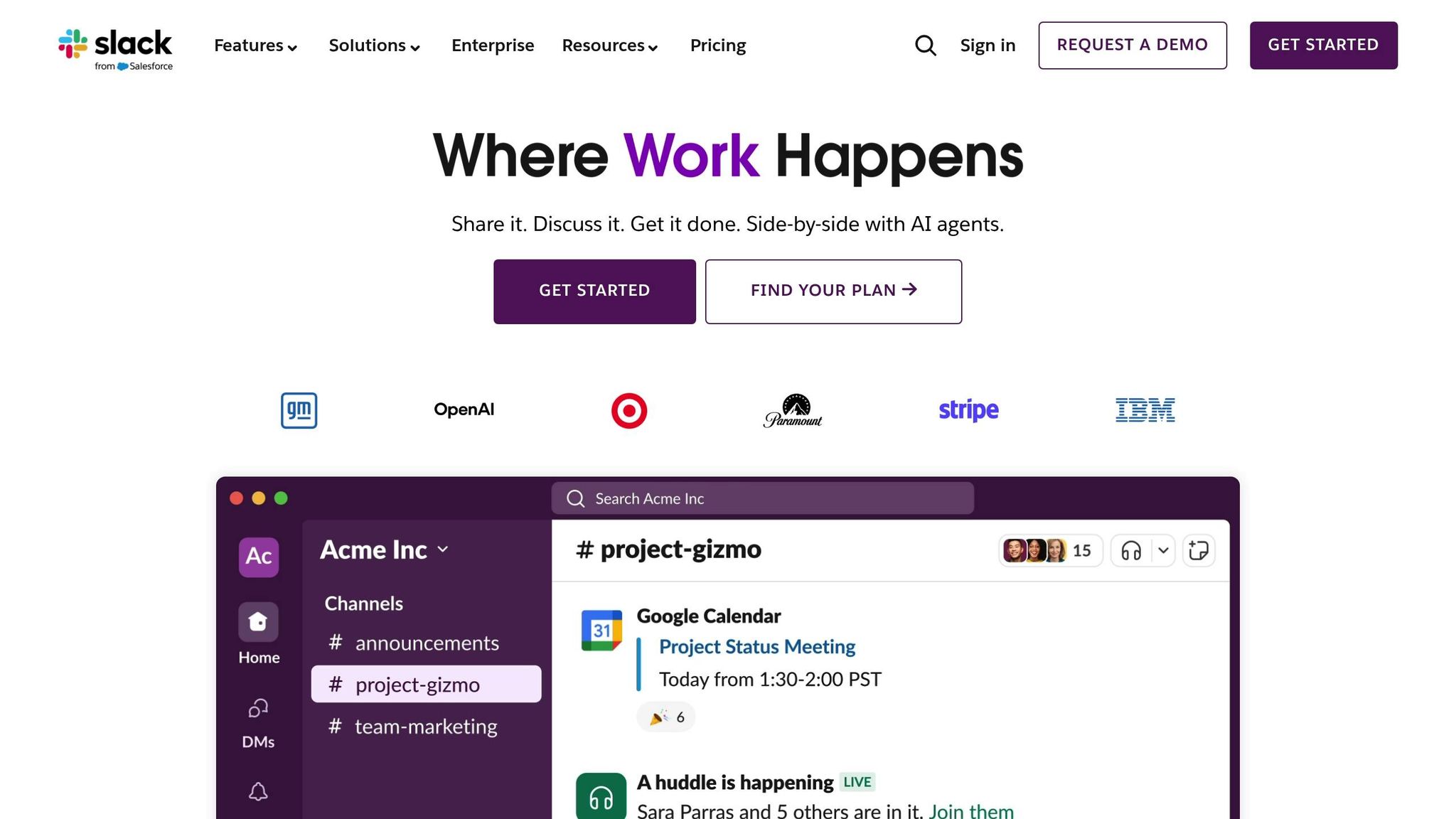
Ranger doesn’t just stop at testing - it also helps improve team communication. It integrates with Slack and GitHub, ensuring that issues immediately trigger Slack notifications and detailed GitHub bug reports. This allows developers to address problems quickly and efficiently.
On top of that, Ranger checks whether code changes meet the specific requirements and acceptance criteria outlined in your project management tickets. This feature is especially critical for AI projects, where unpredictable model behavior can lead to unexpected outcomes. By validating changes early, Ranger ensures they align with your goals before the code reaches production.
Combining AI Automation with Human Oversight for Reliable Testing
Testing AI-generated code requires a mix of precision and flexibility. Ranger combines automated test generation with human oversight to strike the right balance. The AI handles bulk test creation and execution, while human reviewers step in to validate edge cases. This hybrid approach speeds up delivery without sacrificing quality.
sbb-itb-7ae2cb2
Best Practices for Versioning Models, Data, and Prompts
When working on AI projects, maintaining consistency and reproducibility is key. This means extending your version control practices beyond just code to include models, data, and prompts. As Martin Fowler explains:
"A machine learning system is Code + Data + Model. And each of these can and do change".
Each of these components evolves at its own pace, so treating them as a single unit leads to confusion. Instead, each requires its own versioning strategy. Let’s break down how to handle versioning for AI models, datasets, and prompts effectively.
Versioning AI Models and Outputs
Avoid storing large model files directly in Git. Large binary files can quickly overwhelm your repository. Instead, use Git to store lightweight metadata files (like .dvc files) that point to the actual models stored in cloud services such as S3 or Azure.
For example, you can package models as Python libraries (e.g., an oncology-model with version 0.1.175) and manage them through tools like Pipfile to ensure a stable interface.
In generative AI workflows, link model versions to Git commits for precise traceability. Tools like MLflow’s get_git_commit utility can automatically tag versions using the first 8 characters of a Git hash (e.g., customer_support_agent-a1b2c3d4). This ensures that every model call is tied to the exact state of your source code at that time. Use stable filenames like model.pkl and let versioning tools handle updates.
Tracking Dataset Changes
Datasets also need their own versioning system to ensure auditability and manage costs. Similar to model versioning, you can use small metafiles to describe your datasets and store these in Git, while the actual dataset files remain in external storage like S3 or HDFS. This setup provides an immutable audit trail for your data.
| Feature | Git (Source Code) | DVC/MLflow (Data/Models) |
|---|---|---|
| Storage Location | Git Repository (GitHub/GitLab) | External Cloud/On-prem (S3, Azure, SSH) |
| File Types | Text, Source Code, Configs | Large Binaries, Datasets, Model Weights |
| Versioning Method | Line-by-line diffs | Snapshots/Metafiles linked to Git commits |
To ensure compliance and quality, review dataset changes through pull requests. Additionally, set up automated cleanup policies in your artifact registries to remove outdated or experimental versions while retaining critical production artifacts. This approach helps control storage costs without losing important data.
Managing Prompt Versions in Generative AI Projects
In generative AI workflows, versioning prompts is just as important as managing code and models. Prompts should be bundled into immutable artifacts - such as JSON files - that include the prompt text, model selection, and all relevant parameters (e.g., temperature, max tokens).
Store these prompt artifacts in Git to maintain a complete audit trail. Use CI/CD pipelines like GitHub Actions to detect changes in prompt files automatically and trigger pull requests for peer review before they’re merged into production. At runtime, ensure your applications pin to specific prompt versions, so only reviewed and approved prompts are used in production.
When experimenting with new prompt engineering techniques, context managers can link LLM traces and performance metrics to specific version identifiers. This eliminates the frustration of "it worked yesterday" by providing all the context needed to reproduce successes or troubleshoot failures.
Pull Requests, Code Reviews, and Collaboration
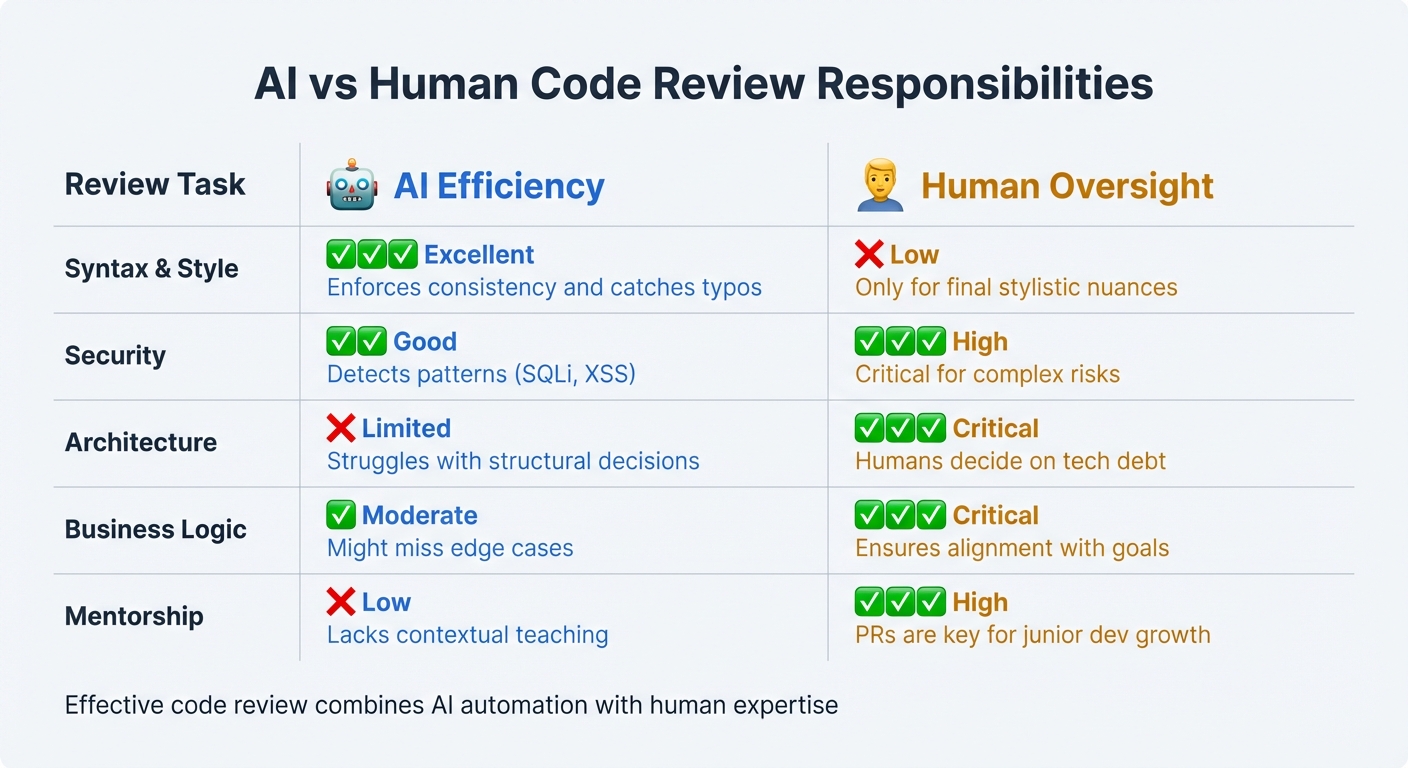
AI vs Human Code Review Responsibilities Matrix
Pull requests (PRs) are the cornerstone of managing AI-assisted development. No matter how advanced AI tools become, the real accountability begins with the "Merge" button. As Jon Wiggins, a Machine Learning Engineer, aptly says:
"If an AI agent writes code, it's on me to clean it up before my name shows up in git blame".
By 2025, 43 million PRs were merged globally, with AI assisting in generating 41% of the new code. With 84% of developers now using AI coding tools, the challenge has shifted from writing code to reviewing it. Itamar Friedman, CEO & Co-founder at Qodo, emphasizes this shift:
"Review throughput defines the ceiling on engineering velocity".
This review process is crucial, serving as the bridge between AI-generated outputs and human expertise.
Conducting Code Reviews for AI Code
Effective code reviews build on established practices like commit conventions and branching strategies while safeguarding quality. AI-generated changes should be reviewed as rigorously as human-written code. The key difference lies in what reviewers focus on. AI is excellent at handling mechanical tasks like catching typos, identifying unused arguments, and spotting common security issues (e.g., SQL injection, forgotten awaits). However, it struggles with architectural decisions and aligning code with business logic.
Before diving into manual reviews, start with automated checks. Tools like CodeQL, dependency scanners, and test suites can catch compilation errors and vulnerabilities early. This allows reviewers to focus on higher-level concerns: Does the code align with the overall architecture? Does it meet business requirements? Are there edge cases the AI might have overlooked?
For any new packages included in a PR, manual verification is essential. Use checklists to ensure consistency across functionality, security, and maintainability.
An increasingly popular workflow is "AI reviews first", where developers request an AI review in their IDE or after opening a PR. Human reviewers step in only after addressing AI-generated comments. This approach can reduce back-and-forth communication by about one-third. However, keep in mind that even a flawless AI review doesn't guarantee logical correctness.
| Review Task | AI Efficiency | Human Oversight |
|---|---|---|
| Syntax & Style | Excellent; enforces consistency and catches typos | Low; only for final stylistic nuances |
| Security | Good at detecting patterns (SQLi, XSS) | High; critical for complex risks |
| Architecture | Limited; struggles with structural decisions | Critical; humans decide on tech debt |
| Business Logic | Moderate; might miss edge cases | Critical; ensures alignment with goals |
| Mentorship | Low; lacks contextual teaching | High; PRs are key for junior dev growth |
Improving Collaboration Through Documentation
Once code reviews are complete, clear documentation ensures that decisions and insights are well-communicated. A strong PR description should outline what changed, why it changed, and link to relevant tracking issues (like Jira or Azure DevOps). This context helps reviewers understand the purpose behind the modifications.
Just as commit messages and branch names capture the intent of code, detailed PR documentation preserves the reasoning behind every change. Use AI attribution trailers like Assisted-by: or Generated-by: in commit messages to clarify which parts of the code were AI-generated versus human-written. For PRs involving complex changes across multiple files, provide a recommended review order to guide teammates through the logic.
Keep PRs small and focused. If a PR involves more than 20 files, consider splitting it into smaller, more manageable chunks. Avoid including "drive-by" improvements or unrelated edits often suggested by AI - stay laser-focused on the specific task. To prevent PR overload, implement "Requests-In-Progress" (RIP) limits, such as allowing only three open PRs per author at a time. This ensures contributors polish one change before moving on to the next.
PR threads also serve as a space for mentorship. Senior engineers can explain the reasoning behind patterns and decisions - something AI can't replicate - and this fosters growth for junior developers. Teams with faster code review turnaround times report feeling 20% more innovative. Prioritizing review throughput is essential to maintaining team velocity.
Conclusion
Effectively managing AI-generated code in version control requires a shift in how development workflows are approached. The dynamic has changed: generating code is now faster and more affordable, but the effort needed to review and validate it has significantly increased. With AI tools becoming a staple in software development, the true bottleneck isn't coding speed anymore - it's the ability to review and process changes efficiently.
The strategies outlined earlier form the foundation for handling AI-driven workflows. Practices like targeted branching and precise artifact versioning work together to simplify complexity. Treating AI artifacts as code - such as saving prompts in YAML files and managing model updates like traditional commits - helps maintain clarity. This approach ensures teams can track when and why changes occurred, offering much-needed transparency.
Beyond versioning, strong quality assurance (QA) testing is critical to safeguarding AI-generated code. Automated QA, such as Ranger's integration, ensures that speed doesn't come at the cost of quality. By 2025, 72.3% of software teams had adopted AI-driven testing workflows, which can cut UI test maintenance time by 50–70% thanks to self-healing features. Tools like Ranger blend AI-powered test generation with human oversight, connecting directly to platforms like GitHub and Slack to catch bugs early. This hybrid method highlights a key point: while AI is excellent at repetitive tasks, it still struggles with making complex architectural decisions or aligning with intricate business logic.
Equally vital are robust pull request processes, which ensure every change undergoes thorough review. These processes promote accountability, requiring AI-generated outputs to meet the same rigorous standards as human-written code. This transparency ensures that AI's role in the codebase remains clear and manageable.
Ultimately, achieving this balance is crucial for sustainable progress. As the OpenInfra AI Policy reminds us:
"You are responsible for the code you submit, whether you or an AI wrote it, and AI tools are no substitute for your own review of code quality, correctness, style, security, and licensing".
Version control best practices are more than just tools to manage code - they provide the structure needed to harness AI's efficiency while ensuring the quality and reliability that production systems demand.
FAQs
What are the best practices for managing large files in version control for AI projects?
To handle large files effectively in GitHub or GitLab repositories, Git Large File Storage (Git LFS) is a great option for managing assets like model weights, datasets, or media files. GitHub imposes restrictions on file sizes - files over 100 MB are blocked, and warnings are issued for files exceeding 50 MB. Using Git LFS helps you avoid these issues while maintaining better repository performance. Once Git LFS is installed, you can track specific file types by adding them to the .gitattributes file (e.g., git lfs track "*.pt" for PyTorch models). Don’t forget to commit this configuration so it stays versioned alongside your code.
For seamless collaboration, make sure every contributor has Git LFS installed and provide clear documentation on handling pointer files versus the actual binaries. If you’re working with extremely large or frequently updated assets, you might want to store them externally - services like AWS S3 work well - and include references in your repository. This approach keeps your Git history clean and manageable.
To enhance your workflow further, consider incorporating Ranger's AI-powered QA testing into your CI pipeline. It can automatically validate updates to large files, such as new model versions, ensuring that changes don’t introduce regressions. This helps your team maintain a smooth, fast, and reliable development process.
What are the best practices for versioning AI models and their datasets?
Versioning AI models and datasets is a key step in ensuring reproducibility, smooth collaboration, and dependable deployment. To manage these components effectively, treat the model, its training data, and the associated code as a single, cohesive unit. Store the source code in Git, and use specialized tools for data versioning to handle large files, while keeping lightweight references in Git.
Use semantic version tags (like v1.2.0-model or v1.2.0-data) to connect experiments with specific code commits, data snapshots, and hyperparameter settings. Store datasets in remote, unchangeable object storage, and rely on version control to record checksums, ensuring the integrity of your data. Integrate versioning into CI/CD pipelines to automate tasks - such as validating data and model versions, running tests, and checking that model performance metrics meet the required standards before merging changes.
Keep detailed documentation of metadata, including data sources, preprocessing steps, model architecture, and evaluation metrics, alongside version tags. Maintain this information in a searchable registry to make it easier to reuse and reference. Adopt a branching strategy (e.g., feature/experiment-xyz) to isolate experiments, and ensure only stable, thoroughly reviewed branches are promoted to production for safe and reliable deployments.
Why is human oversight important when reviewing AI-generated code?
Human oversight plays a key role in reviewing AI-generated code because, while AI tools are fast and efficient, they often lack the deeper understanding and judgment that seasoned developers bring to the table. AI might overlook subtle logic errors, miss security gaps, or fail to spot design inconsistencies - things that a sharp human eye can catch. Plus, AI isn’t always great at sticking to project-specific style guides, business rules, or long-term maintainability goals.
Platforms like Ranger take advantage of both AI and human expertise to deliver better results. While the AI handles tasks like generating and maintaining tests, human engineers step in to validate the findings, identify genuine issues, and ensure the code performs as expected. This combination of AI’s speed and human insight creates software that’s not only more secure but also more dependable.
Related Blog Posts
Stop babysitting your coding agents. Use Ranger
%201%20(1).svg)
More signals, less noise, faster launches
Let Ranger be your guide to sustainable QA testing.

.png)