%201.svg)
How QA Automation Improves CI/CD Pipeline Speed


QA automation is the backbone of faster, more reliable CI/CD pipelines. By automating testing tasks, teams can catch bugs early, reduce deployment times, and boost productivity. Here’s why it matters:
- Speed: Automated testing cuts release cycles by 60% and slashes feedback loops by up to 97%.
- Cost Savings: Fixing bugs in production costs 30x more than addressing them during development.
- Efficiency Gains: Teams using QA automation deploy code 208x more often and recover from failures 50% faster.
- Key Metrics Improved: Faster recovery times, reduced review effort, and lower maintenance overhead.
Netflix and Etsy are prime examples of companies leveraging automation to achieve daily deployments, reduced downtime, and improved system resilience. Tools like Ranger simplify automation with AI-driven test creation, self-healing technology, and seamless integration with GitHub and Slack.
Focusing on parallel testing, automated regression tests, and quality gates ensures pipelines remain fast and reliable. Tracking metrics like build duration, test pass rate, and defect escape rate helps teams maintain high performance. QA automation isn’t just a tool - it’s a necessity for modern software development.
How QA Automation Improves Pipeline Performance: The Data
Key Performance Metrics Affected by QA Automation
When it comes to improving pipeline efficiency, QA automation makes a measurable difference in four critical areas: feedback speed, recovery time, review effort, and maintenance overhead. By focusing tests on the specific code impacted, generating detailed logs, and analyzing patterns to pinpoint real defects, automation streamlines the process. It also filters pull requests early and resolves repetitive issues automatically, saving both time and resources.
Take CircleCI's November 2025 analysis of a 50-engineer mid-sized organization as an example. The data revealed that automated validation recovered 93,500 minutes each month, translating to an annual savings of $1.85 million. Feedback loops were slashed from 10 minutes to just 3 - a 70% reduction - while recovery times dropped from 60 minutes to 30. This efficiency gain added 1.5 productive hours per developer per day.
These advancements highlight a broader industry shift toward accelerating CI/CD pipelines.
Industry Statistics on Speed Improvements
The numbers paint a clear picture of the impact automation has on pipeline performance. Teams leveraging autonomous validation have reported up to a 97% reduction in feedback time. Recovery times from pipeline failures are cut by 50%, while code review efforts see a 30% decrease. Additionally, maintenance workload is reduced by about 25%, thanks to automated detection and repair systems.
The stakes are enormous. In the U.S. alone, software failures in CI pipelines account for an estimated 620 million developer hours lost annually. Top-performing engineering teams aim for pipelines that complete in 10 minutes or less, ensuring comprehensive test coverage without slowing delivery timelines. Impressively, 80% of all workflows on the CircleCI platform meet this goal. Hitting this benchmark allows teams to address issues while the code is still fresh in developers' minds, avoiding the costly delays caused by switching contexts in traditional pipelines.
"41% of respondents say that getting the bug to reproduce is the biggest barrier to finding and fixing bugs faster." - Cambridge University Judge Business School Research Report
A Tester's Guide to CI/CD: as an Automated Quality Control System
Case Studies: Companies Using QA Automation Successfully

QA Automation Impact: Before vs After Performance Metrics
Case Study: Netflix

Netflix made a significant shift from a monolithic architecture to microservices, which allows for independent deployments. To streamline this process, they rely on Spinnaker, an open-source, multi-cloud continuous deployment platform. This tool automates deployments across various cloud environments, reducing the need for manual intervention. With this setup, Netflix achieves an impressive thousands of code changes deployed daily.
To ensure stability at such a scale, Netflix employs Chaos Engineering using tools like Chaos Monkey. This tool deliberately disrupts production services to test the system's resilience and ability to recover from failures automatically. In September 2021, Netflix engineers Nadeem Ahmad and Ramya Somaskandan introduced a "Test Confidence" system for their TV app. This system re-runs failing tests against the destination branch to identify errors unrelated to new code. If confirmed, the test result is marked orange. This innovation boosted the availability of confidence data for failed tests from 35% to 74%.
"Any signal that can guide the developer towards making an informed decision is remarkably valuable." - Nadeem Ahmad and Ramya Somaskandan, Netflix Technology Blog
Case Study: Etsy
Etsy has also embraced QA automation with an extensive suite of automated tests, including unit, integration, and end-to-end tests. These tests are triggered automatically with every code push. The company uses feature toggles to enable or disable features in production without requiring new deployments, facilitating limited audience testing and quicker feedback loops.
Thanks to this automation, Etsy now achieves 50+ deployments per day and has drastically reduced deployment times from hours to minutes. This is made possible through automated testing, continuous monitoring, and a robust CI/CD pipeline. As Bravin Wasike, a DevOps Engineer, explained, "The automated testing and deployment script is a critical component of Etsy's CI/CD pipeline, ensuring that only thoroughly tested code reaches production".
These examples highlight the tangible advantages of QA automation, as further illustrated in the performance comparison below.
Before and After: Performance Comparison
The transformative impact of QA automation becomes even clearer when looking at performance metrics. For example, a SaaS company that implemented automated quality gates saw dramatic improvements:
- Lead time for changes dropped from 4 days to just 2 hours, a 95% reduction.
- Deployment frequency increased from once per week to 3–4 times per day.
- Monthly rollback incidents decreased from 6 to 1, an 83% reduction.
- Time to resolve issues was cut from 3 hours to just 30 minutes.
- Manual deployment steps were reduced from over 10 to just 1–2, achieving 90% automation.
| Metric | Before Automation | After Automation | Improvement |
|---|---|---|---|
| Deployment Frequency | 1 per week | 3–4 per day | 4x increase |
| Lead Time for Changes | 4 days | 2 hours | 95% reduction |
| Monthly Rollback Incidents | 6 | 1 | 83% reduction |
| Time to Resolve Issues | 3 hours | 30 minutes | 83% faster |
| Manual Deployment Steps | 10+ | 1–2 | 90% automation |
Tracking QA Automation Impact: Which Metrics to Monitor
Primary Metrics to Track
To understand the impact of QA automation, focus on monitoring key metrics like Build Duration, Lead Time, Test Pass Rate, Change Failure Rate, Defect Escape Rate, MTTR (Mean Time to Recovery), MTBF (Mean Time Between Failures), and Test Execution Time.
- Build Duration reveals how long it takes to complete a software build, while Lead Time measures the time from code commit to production. Top-performing teams aim for lead times under three hours.
- Test Pass Rate and Change Failure Rate help balance speed and quality. Elite teams maintain a Change Failure Rate below 5%.
- Defect Escape Rate measures the percentage of bugs that make it into production versus those caught in testing. A lower rate indicates your automated tests are effectively catching issues before they impact users.
- MTTR and MTBF reflect system resilience. For critical systems, achieving an MTTD (Mean Time to Detect) of under five minutes is a common goal.
- Test Execution Time matters too. If tests take longer than 5–10 minutes, consider parallel testing to speed things up.
Tracking these metrics ensures the fast feedback loops necessary for efficient CI/CD pipelines.
"You can't manage what you don't measure." - Peter Drucker
Industry Benchmarks for High-Performing Teams
These metrics help identify the performance gap between elite and lower-performing teams. The differences are striking: elite teams enjoy 127× faster lead times, 182× lower change failure rates, and recover from issues 2,293× faster than their peers. Additionally, organizations using CI/CD often report releasing code at twice the speed, with 60% experiencing this improvement.
| Metric | Elite/High-Performing Benchmark | Stable/Standard Benchmark |
|---|---|---|
| Deployment Frequency | Multiple times per day | Weekly to Monthly |
| Lead Time for Changes | Less than 1 day | 1 week to 1 month |
| Mean Time to Recover (MTTR) | Less than 1 hour | Less than 1 day |
| Change Failure Rate (CFR) | Under 5% | 15% - 30% |
| Build Success Rate | > 90% | 70% - 90% |
| Code Coverage | > 80% | 60% - 80% |
To make monitoring seamless, automate data collection by integrating APIs or webhooks into your pipeline. This allows you to log test results and deployment stats effortlessly. Use quality gates to enforce thresholds for metrics like Test Pass Rate and Code Coverage - if these thresholds aren't met, block the build automatically. When metrics like Defect Escape Rate or Change Failure Rate rise unexpectedly, conduct a root cause analysis to pinpoint weaknesses in your testing process.
sbb-itb-7ae2cb2
Using Ranger for QA Automation in CI/CD
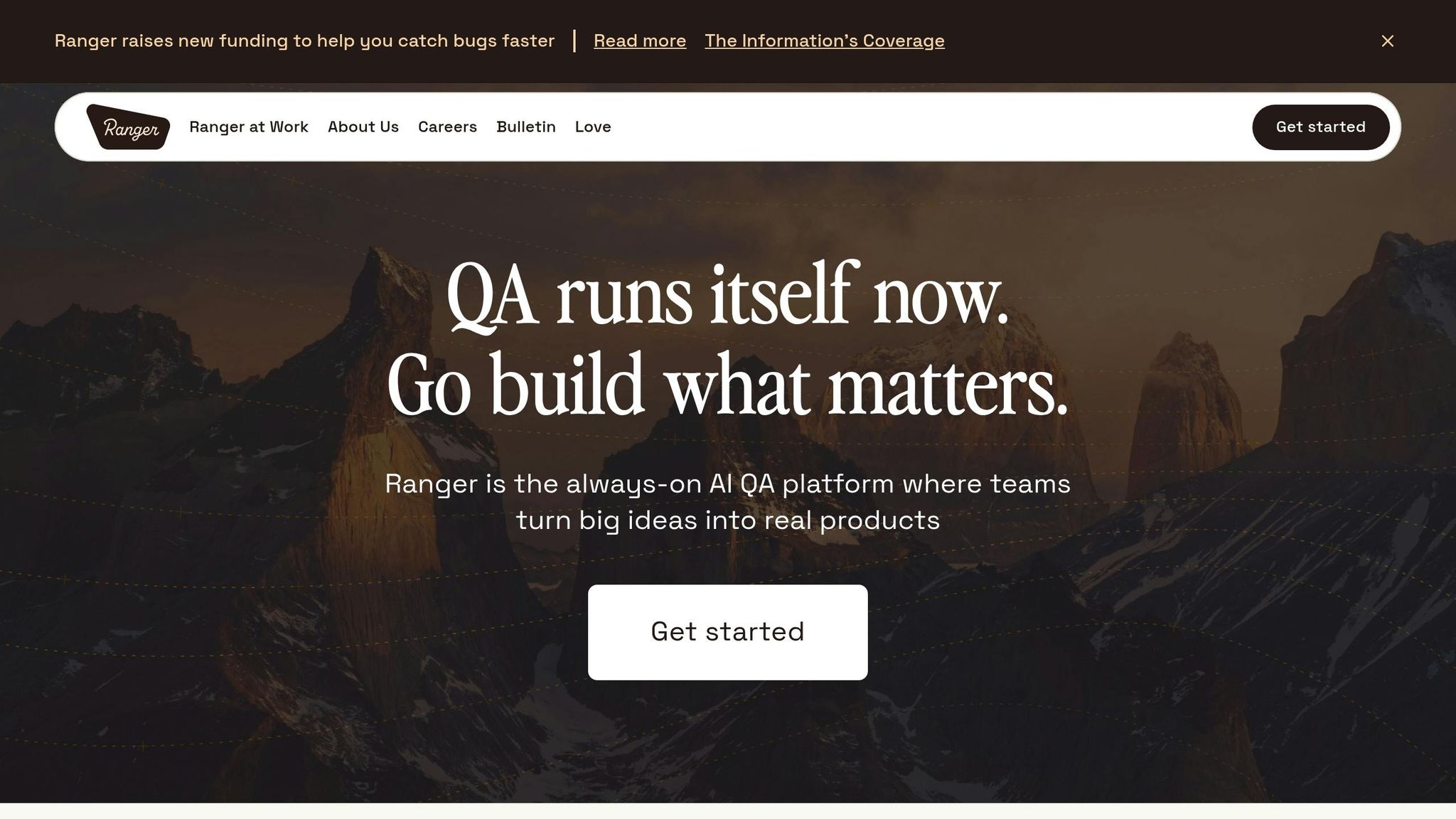
Ranger's Core Features
Ranger's platform, powered by AI, simplifies the testing process by automating test creation and delivering ready-to-use test plans. This significantly cuts down setup time, making it easier to get started. With its no-code interface, even team members without technical expertise can maintain tests effortlessly. Plus, since the platform operates on hosted infrastructure, you won’t need to worry about managing servers or scaling. To top it off, real-time alerts are sent through tools like Slack and GitHub, keeping teams in the loop.
How Ranger Speeds Up Pipelines
Ranger doesn’t just automate testing - it transforms how CI/CD pipelines operate. By combining AI-driven automation with human oversight, Ranger enhances speed without sacrificing accuracy. AI agents take on repetitive tasks like generating and executing tests, while human reviewers step in to ensure findings align with business needs and handle complex cases. This strategy can achieve full coverage of critical workflows within weeks, with up to 80% overall autonomous coverage.
One standout feature is Ranger's self-healing technology. It uses multi-attribute recognition to adapt to changes in the user interface, addressing flaky tests that often slow down pipelines. This seamless blend of automation and human input integrates smoothly with existing development tools, ensuring a streamlined workflow.
Integration with Development Tools
Ranger works hand-in-hand with tools like GitHub Actions, using native YAML workflows to automatically trigger tests with every commit or pull request. This ensures quality checks happen consistently, keeping feedback loops fast and efficient. Integration with Slack adds another layer of convenience - real-time testing updates are sent directly to your team’s communication channels, so developers can quickly address any failures. By embedding itself into familiar tools, Ranger creates a fully automated testing environment that supports rapid feature delivery.
Best Practices for QA Automation in CI/CD
Running Tests in Parallel
Testing in parallel is a game-changer for speeding up your CI/CD pipeline. By running tests across multiple machines simultaneously, you can reduce testing times from hours to just minutes. To make this work, ensure your tests are completely independent - no shared data or dependencies that could cause failures. Break large test suites into smaller chunks and distribute them across available resources to maximize efficiency.
Start with a layered approach. Begin with lightweight unit and smoke tests to catch obvious issues quickly, then move on to longer-running parallel suites. This "fail fast" method stops broken builds early, saving time and resources. Cloud-based environments are ideal here because they can scale dynamically to handle testing demand.
Don't forget to cache dependencies and artifacts to boost speed, and configure automatic re-runs for any failed tests. This approach not only ensures fast feedback but also complements regression testing by maintaining continuous quality checks.
Automating Regression Tests
Automated regression testing is essential for keeping up with the rapid pace of CI/CD. These tests provide consistent and quick validation of code changes, often catching bugs within minutes of a commit - while developers still have the context fresh in their minds. Companies leveraging automated regression suites with every commit report 60% faster release cycles.
Focus on automating tests for high-impact, business-critical workflows rather than striving for complete test coverage. Set up quality gates to block merges automatically if critical regression tests fail. Make sure your tests are stateless and independent so they can run in any order without interfering with each other. And when a test fails, fix it immediately - treating it like an urgent issue helps maintain confidence in your automation suite.
Setting Up Quality Gates
Quality gates act as automated checkpoints in your CI/CD pipeline, intercepting issues early and keeping the process running smoothly. These gates prevent code from advancing if it doesn’t meet predefined standards. They can be implemented at various stages: start with static analysis and linting, then move on to unit tests, and finally run integration or regression suites. Configure your version control system to block pull requests from merging until all tests pass.
Prioritize running the fastest tests first to catch errors early and stop the pipeline if necessary. For critical releases, consider adding a manual approval step where the pipeline pauses for final human verification after staging. Don’t overlook security scans and performance checks - these should be mandatory gates to prevent vulnerabilities or scalability issues from slipping into production.
| Test Type | Pipeline Stage | Purpose as a Quality Gate |
|---|---|---|
| Unit Tests | Early CI | Validate individual components and catch logic errors early |
| API/Contract Tests | Post-Build | Ensure services integrate correctly before staging |
| Regression/UI Tests | CD (Staging) | Verify critical user journeys and prevent breakage |
| Security Scans | Pre-Release | Detect vulnerabilities before deploying to production |
| Performance Checks | Staging/Canary | Avoid scalability issues and latency problems |
Conclusion
QA automation has redefined the role of testing in CI/CD pipelines, turning what was once a bottleneck into a key driver of speed and efficiency. By catching defects within minutes of a commit, teams can sidestep the steep costs - up to 30 times higher - of fixing bugs in production. Automated pipelines also slash deployment times by as much as 70%, with top-performing teams deploying 200 times more often and recovering from issues 24 times faster.
Switching from manual to automated testing not only removes repetitive tasks but also reduces the chance of human error. This shift allows developers to concentrate on building new features. For instance, Martin Schneider shared that scalable automation cut his team’s testing time from an entire day for eight engineers to just one hour, enabling them to release updates daily. CNA Insurance saw similar gains, achieving a 10x faster test automation rate in 2022 by adopting no-code automation, which allowed them to move to in-sprint testing and greatly enhance their agility.
Modern tools are taking automation even further. Platforms like Ranger, which integrate AI-powered test creation with tools such as Slack and GitHub, streamline maintenance and provide real-time insights. This reduces manual work while maintaining the reliability needed for confident releases.
Practices like parallel testing, automated regression suites, and strict quality gates are also driving improvements. Teams with high test coverage are three times more likely to resolve defects within 24 hours, and autonomous validation can reduce feedback time by up to 97%.
FAQs
How does QA automation help speed up deployments in the CI/CD pipeline?
QA automation speeds up deployments in the CI/CD pipeline by simplifying essential testing tasks. With automated test creation and self-healing capabilities, teams can cut down on the time spent managing and updating manual tests. By focusing on critical tests, automation provides faster feedback on areas that matter most. It also aids in root-cause analysis, allowing teams to pinpoint and resolve issues quickly - keeping deployments on track without unnecessary delays.
By trimming down maintenance efforts and shortening the time it takes to get feedback, QA automation helps software teams roll out updates faster while maintaining high-quality releases.
What metrics should you track to measure the impact of QA automation on your CI/CD pipeline?
To understand how QA automation impacts your CI/CD pipeline, keep an eye on key metrics that reveal improvements in efficiency and quality. One crucial metric is test maintenance effort. Automation tools equipped with AI can drastically cut down the time spent on updating tests by automatically adjusting to changes. Another essential measure is defect resolution time, as automation often enables quicker detection and fixing of issues.
You should also monitor deployment frequency to gauge how automation speeds up release cycles. Metrics like testing cycle time and feedback loop duration are equally important, as they reflect faster iterations and a shorter time-to-market. Additional indicators to consider include test coverage, defect escape rate, and the percentage of tests running in parallel. By tracking these metrics, you’ll gain a clear view of how QA automation boosts the speed, reliability, and overall quality of your software pipeline.
How does QA automation with tools like Ranger speed up CI/CD pipelines?
QA automation tools like Ranger supercharge CI/CD pipelines by handling critical testing tasks like test creation, execution, and upkeep. By cutting down on manual effort, Ranger enables teams to detect bugs faster and expand test coverage. This simplifies workflows, ensuring dependable testing outcomes and paving the way for faster, more confident software releases.
Ranger's AI-driven platform also introduces self-healing tests that automatically adjust to application changes. This feature slashes maintenance time and reduces flaky tests that can disrupt workflows. Plus, with seamless integrations into tools like Slack and GitHub, teams can collaborate efficiently, address issues sooner, and maintain a streamlined deployment process. Simply put, Ranger boosts both speed and reliability throughout the CI/CD pipeline.
Related Blog Posts
Stop babysitting your coding agents. Use Ranger
%201%20(1).svg)
More signals, less noise, faster launches
Let Ranger be your guide to sustainable QA testing.

.png)