%201.svg)
Real-Time QA Reporting in Slack: How It Works

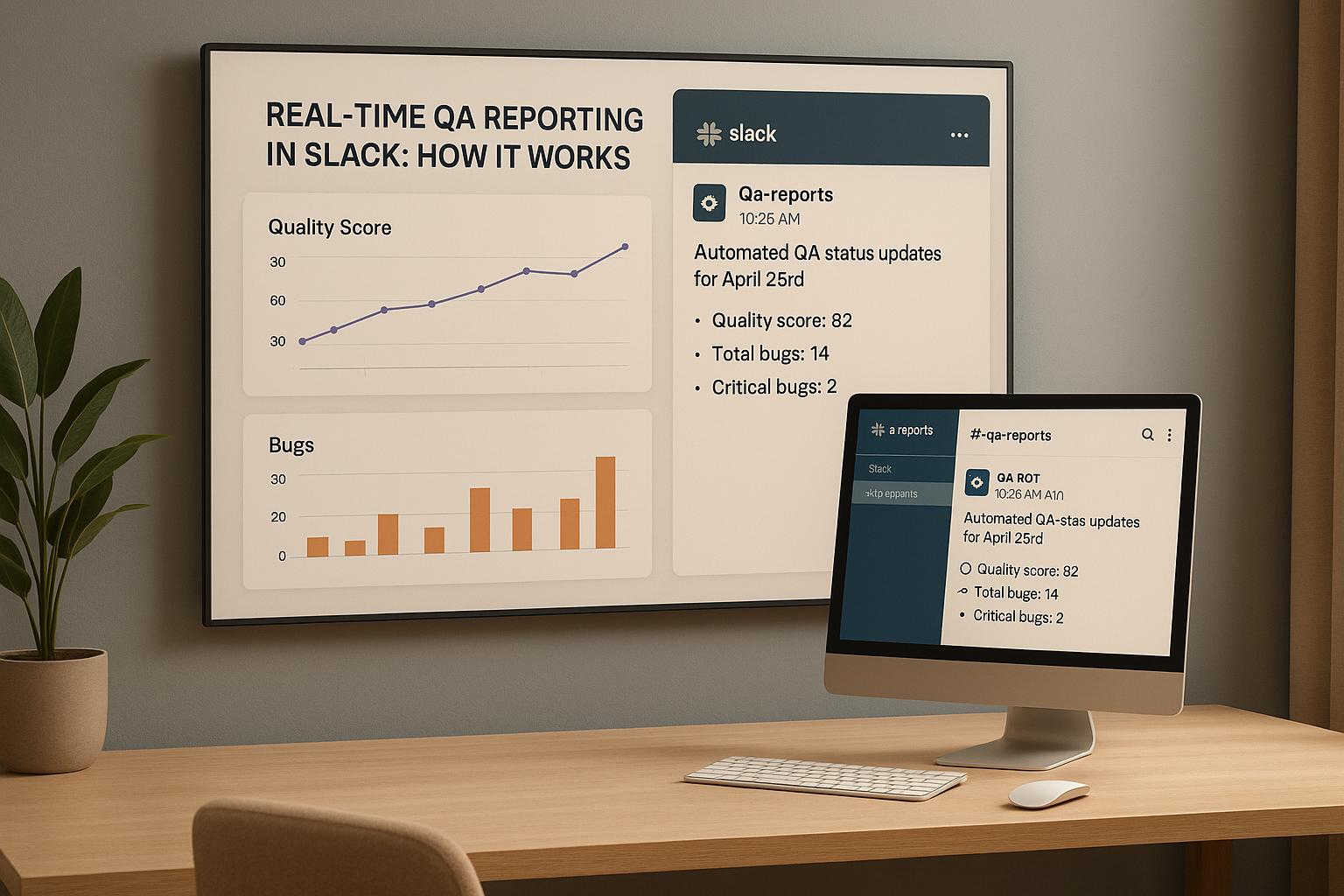
Real-time QA reporting in Slack simplifies how teams handle test results and bug updates. Instead of waiting for reports or meetings, your team gets instant notifications in Slack as tests finish. These updates include pass/fail results, bug details, and links to logs or reports, allowing quick issue resolution without leaving Slack.
Key Benefits:
- Faster issue detection: Notifications arrive immediately after tests, reducing delays.
- Improved collaboration: Teams can discuss and resolve issues directly in Slack threads.
- Centralized updates: QA results are visible to everyone, from developers to product managers, in one place.
How It Works:
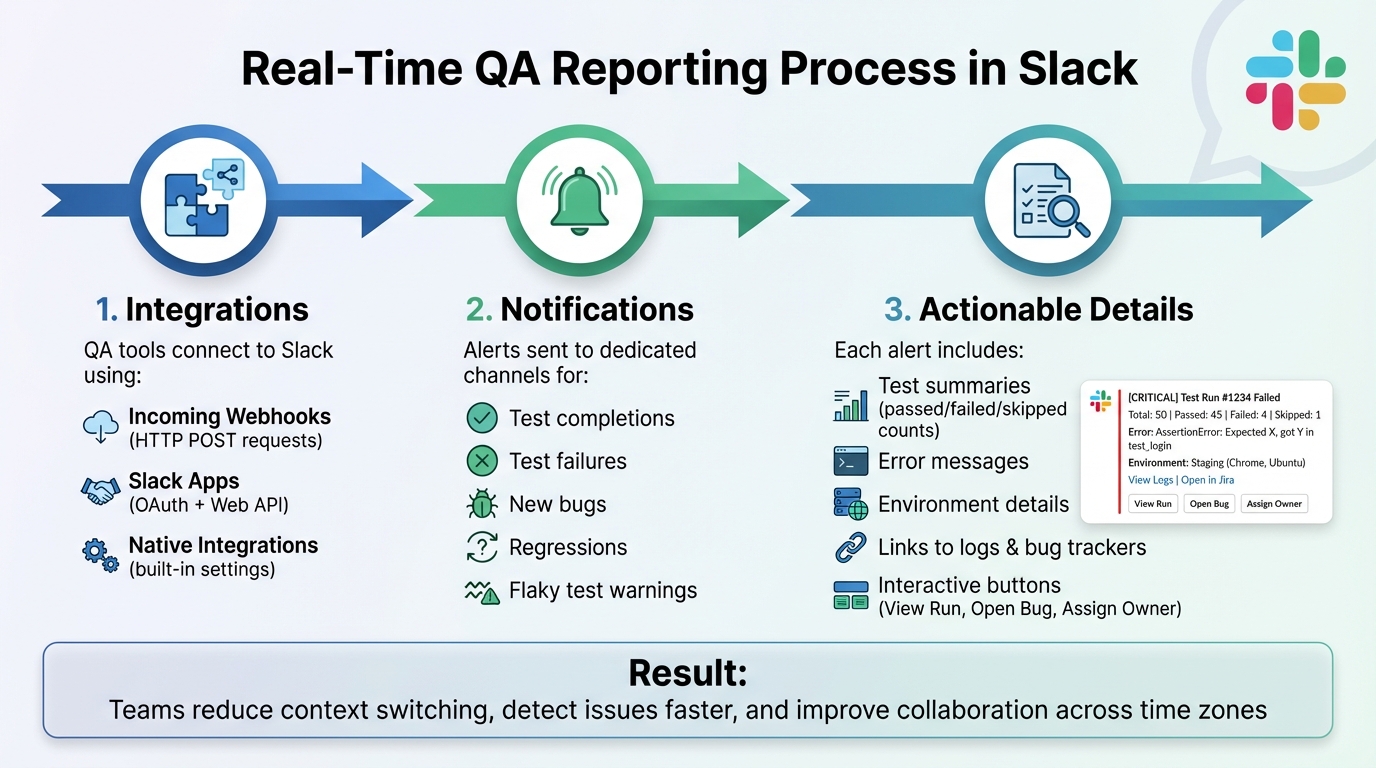
- Integrations: QA tools connect to Slack using webhooks, apps, or native integrations.
- Notifications: Alerts for test completions, failures, bugs, or regressions are sent to dedicated Slack channels.
- Actionable Details: Each alert includes test summaries, error messages, and links to logs or bug trackers.
By streamlining QA updates in Slack, teams reduce context switching, detect issues faster, and improve collaboration across time zones. Tools like Ranger further enhance this by automating QA and delivering detailed, actionable results directly into Slack.
Advanced Slack integration in automated build pipelines - Marian Pekár || Bohemia Interactive ||
How Real-Time QA Reporting Works in Slack
How Real-Time QA Reporting Works in Slack: 3-Step Integration Process
Integration Overview
QA tools connect with Slack in three main ways: incoming webhooks, Slack apps, and native integrations. With incoming webhooks, your QA tool or CI pipeline sends an HTTP POST request to a Slack-provided URL whenever specific test events occur - like when a test run finishes or a failure is detected. Slack apps use OAuth to authenticate and leverage the Slack Web API to post structured messages, threads, and updates. These apps can even include interactive features like buttons or slash commands. Native integrations make things even simpler. You just select Slack in your tool’s settings, authorize your workspace, pick a channel, and define which QA events should trigger notifications.
For setup, create a dedicated Slack channel (e.g., #qa-automation) and either install a native integration or configure a custom Slack app with incoming webhooks. This will provide a secure webhook URL for posting JSON payloads when test events occur. More advanced configurations can subscribe to additional events or enable slash commands for querying test statuses on demand.
Once the integration is ready, you can start defining the key QA events that will populate Slack notifications.
Common QA Events Reported in Slack
Slack notifications typically highlight key QA events, such as test run completions, individual test failures, new bug reports, status changes (like reopened issues or regression alerts), and warnings for flaky tests.
Test run completion messages summarize the overall health of the run by showing its status (passed, failed, or partially failed), counts of passed, failed, and skipped tests, the operating environment (e.g., staging or production), the branch or pull request involved, and the run duration (formatted in U.S. style, like "03/15/2025 02:37 PM PT").
When a test fails, detailed alerts work best. These should include the test name, a description of the scenario, the error message or failing step, environment details (e.g., browser or device), and links to logs, screenshots, or recordings. If the failure automatically creates a bug, the notification may also include the issue ID, title, severity, current assignee, and links to tools like Jira or GitHub Issues for immediate action. Regression alerts - indicating a previously passing test now fails - often reference the last known successful build or date, helping teams quickly trace potential code changes.
Here’s an example to show how it all comes together.
Example Workflow
Imagine this scenario: a developer merges a feature branch into the main branch. This triggers the CI pipeline, which runs Ranger’s automated end-to-end test suite in a staging environment. During the process, Ranger detects a failure in a checkout flow test (e.g., "Apply discount code with multiple items"). It captures logs, screenshots, and environment details, then marks the test run as failed. Based on pre-set rules, Ranger formats a Slack payload containing the test run name, failure count, key failing test names, an error summary, and links to detailed reports and bug tickets. This payload is sent to a dedicated channel like #qa-alerts via a webhook or Slack app.
The Slack notification includes structured fields and interactive buttons, such as "View Run", "Open Bug", or "Assign Owner." An on-call engineer - tagged as @qa-oncall or part of a team like @payments-team - can quickly open the report, reproduce or confirm the issue, and start a discussion in a thread. From there, team members can tag developers or product owners to decide whether to block the deployment, roll back changes, or apply a hotfix. This transforms each QA alert into a collaborative mini incident room, streamlining the response process.
Benefits of Real-Time QA Reporting in Slack
Faster Feedback Loops
Real-time alerts in Slack provide immediate test feedback, building on the integration methods previously discussed. CI/CD jobs send pass/fail summaries directly to Slack, allowing developers to address regressions while the issue is still fresh in their minds - no need to wait for daily reports.
Take Canada Drives, for example. QA Automation Engineer Chandra Alahari connected Slack with Jenkins jobs, ensuring all automation runs were reported in real time. This kept developers, admins, and testers constantly updated on progress and test results, speeding up feedback loops and improving team awareness. Another team using hoop.dev reported an alert firing at 2:07 p.m., notifying every engineer in Slack even before the test run ended. This approach reduced missed failures compared to relying on buried emails.
Over time, these faster feedback loops lead to more predictable releases and fewer last-minute surprises. Instant alerts and flexible routing significantly reduce Mean Time to Detection (MTTD) for critical issues by enabling teams to act the moment a CI/CD failure occurs, rather than hours later. This system not only speeds up responses but also encourages smoother team discussions.
Better Team Collaboration
When a test run fails, Slack integrations post a concise summary to a dedicated channel, complete with key details and direct links. This creates a shared space for triage, where team members can discuss the root cause, share screenshots or log snippets, and assign follow-up tasks - all while keeping the context tied to the original notification.
Mentions like @backend-team or @oncall ensure the right people are alerted quickly, reducing fragmented conversations and speeding up decision-making. For instance, one team integrated Cursion.dev with Slack and began receiving instant failure notifications. This allowed them to resolve issues in real time, leading to smoother deployments and improved schedules. These collaborative workflows also enhance QA transparency across the board.
Increased Visibility
Real-time QA updates in Slack provide clear, ongoing insights into product quality for all stakeholders. Product managers can monitor test execution, failure trends, and release readiness directly in their familiar Slack channels, helping them make better decisions about scope, timelines, and launch risks. Engineering leaders benefit from a continuous view of quality health, such as identifying frequent failures in specific services or environments, without needing to log into specialized QA dashboards.
Customer-facing teams, like support and customer success, can subscribe to relevant channels to stay informed about regressions as they’re discovered or resolved. This helps them manage expectations and communicate proactively with U.S. customers. By centralizing updates in Slack, teams reduce context switching and stay focused on their primary workspace.
"Ranger helps our team move faster with the confidence that we aren't breaking things. They help us create and maintain tests that give us a clear signal when there is an issue that needs our attention." - Matt Hooper, Engineering Manager, Yurts
For distributed teams across U.S. time zones, asynchronous Slack channels and a searchable message history allow seamless handoffs. An East Coast teammate can pick up where a West Coast colleague left off, using past alerts and threaded discussions to quickly resume triage without extra meetings.
sbb-itb-7ae2cb2
Setting Up Real-Time QA Reporting in Slack
Let’s dive into how you can configure Slack to handle real-time QA alerts effectively.
Preparing Slack for QA Notifications
First, identify the Slack workspace where these QA notifications will live, and make sure all relevant team members have access. It’s best to create a dedicated channel, such as #qa-automation, #qa-staging-app, or #qa-regression, to keep QA-related updates separate from general conversations. Public channels are ideal for fostering cross-team visibility unless the project involves highly sensitive information.
Once the channel is set up, have a Slack admin create a Slack App with Incoming Webhooks. Add a new webhook to authorize message posting and save the generated URL. You can also name the app (something like "QA Bot") and configure app-level posting permissions for better control.
Configuring QA Tools
Next, link your QA tool or CI system to the Slack webhook URL. Set it up to send notifications for key events like failed regressions, smoke test results, or critical defect updates. Keep messages concise but informative - include a title, summary status, and direct links to reports. Use U.S. standards for dates (MM/DD/YYYY), local time zones, and simple number formats to keep everything clear.
To avoid overwhelming your team with alerts, configure thresholds. For instance, you might only trigger notifications if 10–20% of tests fail or limit them to main branches. Tools like Ranger can integrate with Slack to deliver validated test results, ensuring notifications are both accurate and meaningful.
Testing and Optimizing the Integration
Run a sample test suite to confirm that notifications are arriving as expected. Check that the messages are well-formatted, include all necessary context, and link to relevant reports. Test both success and failure scenarios, and periodically review your channel’s history to fine-tune alert thresholds and filter out noise.
As your test suite grows, refine your notification settings to suppress duplicate or low-value alerts while highlighting critical failures. Most QA tools let you filter notifications by project, tag, environment, or branch - use these features to focus on what impacts your releases the most. If your team deals with a high volume of alerts, consider splitting notifications across multiple channels, like #qa-smoke, #qa-regression, and #qa-prod-incidents, to keep everyone focused on what matters most.
Conclusion
Integrating real-time QA reporting into Slack brings test results directly into the tools your team already uses, simplifying bug triage and resolution. By instantly surfacing test failures, quality issues, and release statuses, you can speed up feedback loops, minimize unnecessary context switching, and enhance team collaboration. Developers can address issues directly within Slack threads, QA teams can validate fixes without toggling between dashboards, and product managers can quickly gauge release readiness - all without leaving the Slack workspace.
For teams spread across U.S. time zones, this setup acts as a central hub for quality updates. Engineers on the West Coast can easily catch up on overnight test results and discussions from East Coast colleagues, ensuring smoother handoffs and quicker decision-making. By identifying defects earlier and enabling instant collaboration, real-time Slack notifications help cut down on production issues, reduce support costs, and enhance user satisfaction - benefits that directly impact revenue and team productivity. This kind of seamless collaboration across time zones also lays the groundwork for integrating automated QA tools effectively.
Platforms like Ranger make this process even more efficient. Ranger combines AI-driven QA with human oversight to automatically generate and maintain end-to-end tests. It then delivers precise, actionable results directly into Slack channels. This blend of automation and human review ensures your team focuses on genuine bugs rather than wasting time on false positives, saving development hours and speeding up release cycles.
To get started, set up a dedicated QA channel in Slack, connect your test management or CI tools (or a platform like Ranger), and configure notifications for key events like failed regression tests or pre-release smoke tests. Adjust alert thresholds to minimize noise, and track improvements in bug resolution time and deployment frequency over a few sprints. By pairing Slack’s instant alerts with Ranger’s automated QA, you’ll catch issues earlier and release faster - turning quality management into a real advantage.
FAQs
How can I enable real-time QA test notifications in Slack?
To set up real-time QA test notifications in Slack with Ranger, begin by linking Ranger to your Slack workspace. After the integration is complete, adjust the settings to send automatic test result updates directly to the Slack channels you select. This keeps your team immediately updated on test outcomes, allowing for faster issue resolution and improved efficiency.
What QA updates can I expect to see in Slack?
Slack notifications for QA often deliver updates such as test failures, bug reports, automated test outcomes, and test coverage summaries. These alerts keep your team informed in real time, enabling quick responses to any issues.
With real-time Slack updates, QA insights are always within reach, making it easier to act swiftly and maintain efficient workflows.
How does real-time QA reporting help teams work better together?
Real-time QA reporting enhances collaboration by providing immediate updates on test outcomes, ensuring that all team members stay aligned. This instant feedback loop allows developers and QA teams to tackle issues promptly, make well-informed decisions, and keep the workflow running smoothly.
By leveraging real-time notifications, teams can spot and address bugs more quickly, minimize delays, and maintain consistent communication throughout the development process. This improved coordination not only strengthens teamwork but also supports the delivery of reliable, high-quality software at a faster pace.
Related Blog Posts
Stop babysitting your coding agents. Use Ranger
%201%20(1).svg)
More signals, less noise, faster launches
Let Ranger be your guide to sustainable QA testing.

.png)